


If you’re thinking of launching an ecommerce company, you probably won’t think of HubSpot straight away. HubSpot CRM is one of the most powerful tools available for building and running an ecommerce store – but most people only discover that after they’ve already launched.
It’s the kind of software that eventually shows up in board discussions when you decide you need a CRM that actually works. But what companies don’t realize is that HubSpot can help you grow your business long before you’re managing customer records (and after).
HubSpot offers free CMS tools (so you can build your own website), and a range of commerce tools, like the HubSpot payments feature. Plus, it’s one of the few systems that works seamlessly with tools like Shopify, so you can connect the dots between your CRM and a larger ecommerce platform.
If you’ve never considered running an online store with HubSpot before, I’m about to tell you why you should, and how you can get started.
Why HubSpot is Excellent for Ecommerce
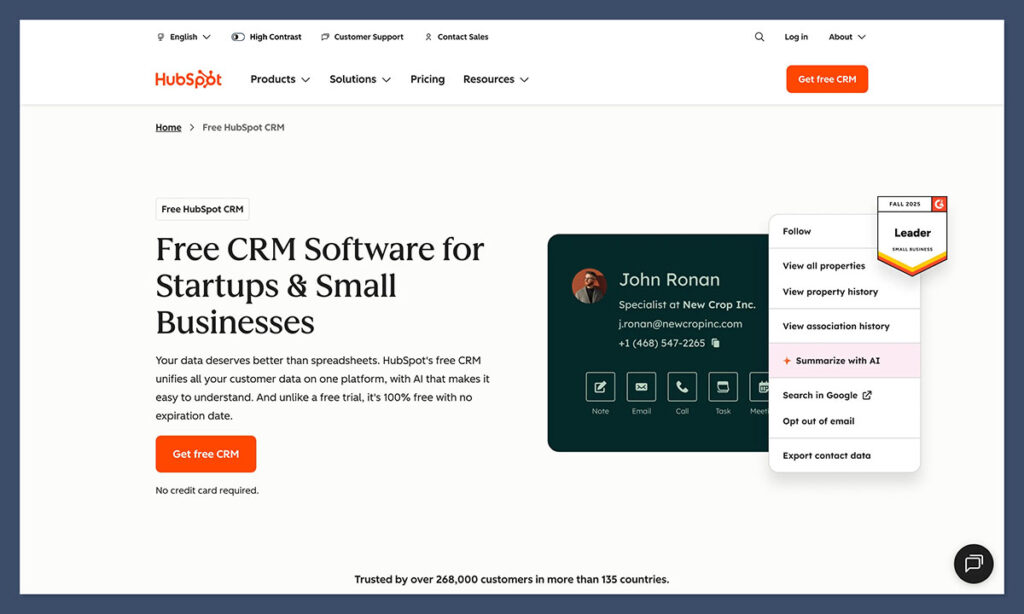
Most business leaders are pretty familiar with HubSpot CRM, it is one of the most popular customer relationship management systems out there, after all. But they don’t always see how HubSpot ties into the whole process of running an ecommerce company.
For an online store, HubSpot CRM behaves like the operating system for every customer moment that isn’t the actual checkout. It logs browsing behavior, tracks deals, follows orders, ties emails to people, and connects chat conversations to actual revenue. It builds a complete timeline of every buyer’s journey, something that’s genuinely rare in ecommerce software.
Most stores run on a stack of disconnected apps. One tool captures carts, another sends emails, another tries to guess who’s worth following up with. HubSpot doesn’t play that game. HubSpot CRM pulls everything into one view. It’s one of the few CRM systems where an abandoned cart becomes a trigger inside the CRM that can kick off real sales automation.
If you need an example, look at how CODE41 boosted their sales by 257%, their revenue by 223% and their leads by 279% with a combination of HubSpot’s tools.
Plus, you get inbound marketing built-in, so you can manage growing relationships, not just a basic storefront. This is why ecommerce teams end up leaning on HubSpot even when they run their actual store elsewhere. Shopify and BigCommerce handle the storefront. HubSpot handles the customer.
The Benefits of HubSpot’s Platform for Ecommerce
HubSpot has this way of seeming simple on day one and then revealing a whole second layer once you start using it for real store activity. The biggest benefits really come from the small things you don’t always think about.
HubSpot keeps every customer action in one place
Most ecommerce tools scatter information everywhere. A clicked product lives in one app, an email open in another, an order in a third, and customer questions end up lost in the mess. HubSpot CRM stitches all of that into one timeline. A customer views a product, abandons a cart, opens a campaign email, returns three days later, and chats with support, you see it all.
The automation is built for real teams
You don’t need to start with the perfect workflow.. HubSpot’s sales automation and marketing triggers let teams build the messy, real-world flows that recover revenue. Your store can link cart abandonment → personalized email → sales pipeline stage → rep follow-up. It’s easy and pain-free.
HubSpot’s inbound marketing tools actually move revenue
People don’t always buy the first time they land on a page. They search, compare, get distracted, forget, return, lurk, and eventually commit. HubSpot tracks that whole path. Plenty of stores discover that a bunch of their second purchases actually start with a blog post that explains how to choose the right product.
Payments and quotes work like they’re part of the CRM
HubSpot Payments makes checkout feel much less brittle than the usual “send them a PDF and pray” approach. B2B teams especially get huge mileage out of this. A rep sends a quote. The buyer hits “buy.” A subscription spins up automatically. HubSpot logs the order, updates the pipeline, creates onboarding tasks, and drops the customer into a welcome sequence.
AI doesn’t feel like it takes over
The AI content tools, especially inside the CMS and campaign builders, help teams punch through the “blank page” problem. They’re useful for rough drafts, alt text, meta descriptions, and the kind of repetitive copy that shouldn’t be exhausting your teams. Plus, the workflow suggestions cut setup time for people who aren’t automation experts.
HubSpot scales the parts of growth that actually matter
It doesn’t magically grow traffic or invent revenue; that’s the fantasy a lot of SaaS tools sell. What it does is keep your customer understanding, sales systems, marketing activity, and support experience in the same container. That’s the kind of structure that helps a one-person shop behave like a five-person team, or a five-person team feel like fifteen.
Step-by-Step: How to Create an Online Store Using HubSpot
There are actually a few ways to create an online store with HubSpot, depending on what you really need to do. Here’s the basic step-by-step flow you’ll probably follow.
1. Start with a HubSpot CRM account
Everything hinges on the CRM brain. The free CRM is enough to get the bones of the system in place, like contacts, lists, pipelines, email, basic automation, and site activity. The moment that’s running, things click into place. The CMS, the commerce tools, the quotes, and the chat widget all revolve around that central record.
Most stores grow into Sales Hub or Marketing Hub later, usually the moment someone says, “Wait, can we make this follow-up happen automatically?”
2. Pick your ecommerce approach
Like I said, you’ve got a few options, the main three:
- Option A: CMS + Commerce Hub + HubSpot Payments: Great for shops selling subscriptions, digital stuff, workshops, custom kits—anything where the storytelling matters more than a giant catalog. The payments flow is weirdly clean because orders drop straight into the CRM
- Option B: HubSpot + CommercePro: Feels like installing a mini Shopify inside HubSpot. CommercePro gives you product objects, carts, checkout pages, and order tracking without leaving the CRM. B2B teams love this setup because quoting and checkout sit right next to each other
- Option C: HubSpot CRM + Shopify/BigCommerce/WooCommerce: This combo is everywhere. Shopify handles the storefront. HubSpot handles the customer understanding. Orders sync in. Carts sync in. Product data shows up in the CRM. It solves the classic “our data is spread across six tools and nothing matches” problem
If your catalog is huge, you’d take C. If your business sells curated or higher-touch products, A or B usually feels better.
3. Build your storefront inside HubSpot CMS
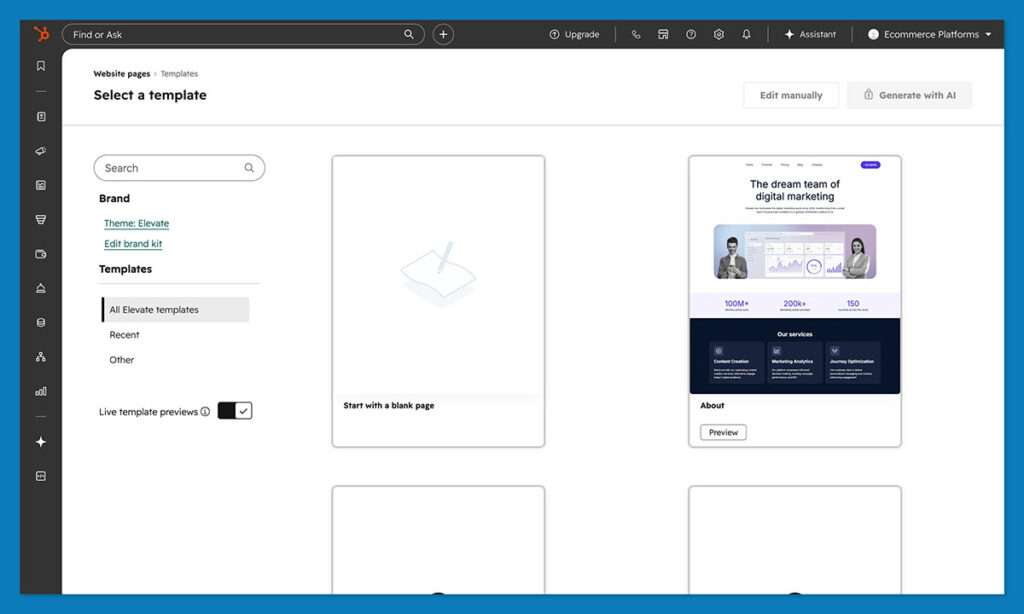
HubSpot’s CMS is simple, and that’s a good thing. You grab a theme, open the editor, and just start placing modules until the page looks like something customers won’t bounce from.
The nice part is the way the CMS and CRM talk to each other. When someone views a product more than once, hits the cart and backs out, or checks an FAQ page, you know. It builds this eerie-but-useful picture of who’s genuinely curious versus who got lost on the way to YouTube.
4. Add products to the mix
This part seems simple but has long-term consequences.
- Commerce Hub: You add products to the HubSpot Product Library. Clean SKUs, clean names
- CommercePro: Products live in CP Products, which power the storefront modules
- Shopify/BigCommerce: HubSpot pulls product data automatically
Stores run into issues when product naming turns into a free-for-all. Avoid shops with three versions of the same product with slightly different names. Standardize early.
5. Set up payments and your checkout flow
If you’re in the U.S., HubSpot Payments is the easiest route. It plugs straight into quotes, product pages, forms, and even chat. You can drop payment links into emails, DMs, landing pages, whatever.
Outside the U.S., Stripe + CommercePro is the most common pair. There’s no real single answer here, just pick what works best for you.
6. Make carts, orders, and pipelines work together
This is where HubSpot really surprises a lot of people.
- Carts show up as objects you can automate around
- Orders can map to deals or dedicated order records
- Pipelines can track fulfillment, renewal dates, sales follow-up, whatever your flow actually looks like
I once created a pipeline stage called “Thinking About Churning.” When a customer visited the cancellation page twice in a week, HubSpot created a task, fired off an email, and flagged it. Retention nudged upward just from that one scruffy idea.
7. Build automation that fits your real life
HubSpot lets you build workflows that match how your team actually behaves.
Start small:
- Abandoned carts
- Post-purchase follow-ups
- Replenishment nudges
- Welcome flows
- VIP segments who get treated properly
The more data you actually gather about how people use your store, the more automation flows you can add. Just make sure you test the results over time.
8. Let inbound marketing pull its weight
HubSpot is built by people who adore inbound marketing, so make the most of it. When your blog posts, landing pages, emails, and CRM sit inside the same universe, you start spotting patterns you never saw before.
Because HubSpot tracks page views → email clicks → orders → returning purchases, the patterns in the kind of content that actually deliver conversions are usually clear.
9. Watch the numbers
HubSpot’s analytics aren’t just charts for the sake of charts. They sit next to actual customer records.
- Revenue by product? Sure
- Revenue by source? Easy
- Which blog post sparked the most second purchases? Also there
- Which email produced buyers instead of window shoppers? Right in front of you
It’s the combination of data and context that makes everything feel sharper.
Why Ecommerce Brands Love HubSpot
HubSpot isn’t an obvious “ecommerce platform”, but it’s a tool you should definitely have in your collection. Stores come in with a mess of tools taped together, then slowly realize they can run the thinking part of the business inside HubSpot, managing the relationships, the follow-up, the quoting, the renewals, the content, the automation that saves the day when someone forgets to send that one crucial email.
Other platforms can run a storefront. Plenty of them do it well. But HubSpot understands the buyer. It sees what they clicked, what they ignored, what they came back to at 11:32 p.m., and which email finally nudged them past hesitation. That context changes how a store operates. It’s the difference between blasting promotions at strangers and guiding actual customers through a decision.
For anyone curious enough to test it, just create a free HubSpot CRM account, play with the CMS, send a payment link, build a tiny workflow, and watch how quickly the pieces start making sense.
FAQs
How does HubSpot compare to Shopify for ecommerce?
Shopify is a storefront engine. HubSpot is a customer engine. The two together can be fantastic, but if the business depends on nurturing leads, quoting, or subscription follow-through, HubSpot wins that part without trying very hard.
Can HubSpot run a complete store on its own?
Yes, if the catalog is focused and the buying path isn’t built around a massive retail infrastructure. CMS + Commerce Hub + HubSpot Payments can handle digital products, subscriptions, coaching, kits, and a surprising amount of B2B ecommerce. For giant catalogs, pairing HubSpot with Shopify or BigCommerce makes more sense.
Is HubSpot too expensive for small shops?
Not really. Plenty of stores start on the free CRM + free CMS tools. Costs only climb when the business needs advanced automation, deeper sales features, or more intense marketing. If the store actually uses those features, the ROI tends to show up quickly.
Does HubSpot handle subscriptions and renewals?
Yes. Commerce Hub supports recurring payments, subscription records, renewal tracking, and workflows tied directly to billing events. It takes a painful part of ecommerce and makes it something you barely think about.
Do HubSpot’s AI tools actually help with ecommerce?
They help with the grunt work like drafting emails, building workflows, generating page content, suggesting segmentation patterns. They don’t replace strategy. They just clear the noise so teams can focus on the moments that drive revenue.


