


- Best for Windows: X-Mouse
- Best for Macs: Mac Mouse Fix
- Best for Linux: Input Remapper
- Best for older Windows PCs: WizMouse
- Best for recording macros: Macro Recorder
Computer mice are easy to overlook, but the right software can make them faster, more comfortable, and better suited to the way you work. Some apps focus on button remapping, while others improve scrolling, add Mac-style gestures, or record repetitive actions as macros.
I researched the five best mouse apps for 2026 to help you find the right tool for customizing your setup.
Best software to map mouse buttons compared
| Mouse software | Key features | Free version? | Starting price |
| X-Mouse Button Control | App-specific profiles, customizable button assignments, simulated keystrokes | Yes | Free |
| Mac Mouse Fix | Smooth scrolling, Smart Zoom, back-and-forward gestures for third-party Mac mice | No, but a 30-day free trial is available | $2.99 plus taxes |
| Input Remapper | Graphical Linux remapping, programmable macros, support for multiple input devices | Yes | Free |
| WizMouse | Inactive-window scrolling, mouse-wheel support for older apps, reverse scrolling | Yes | Free; donations welcome |
| Macro Recorder | Mouse and keyboard recording, macro playback, editable recorded actions | No, but a free trial is available | 83.99 EUR before VAT |
1. X-Mouse: Best for Windows
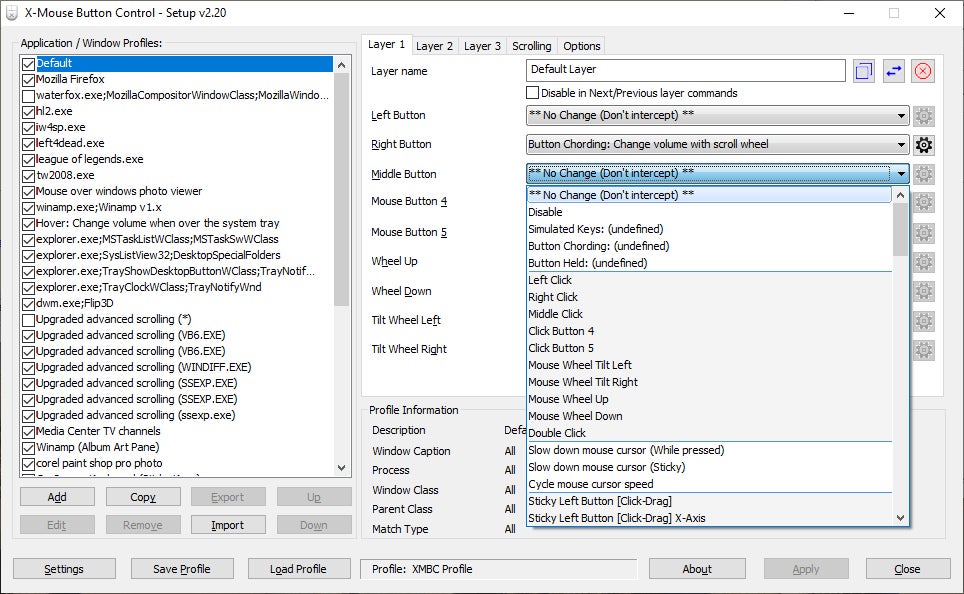
X-Mouse Button Control is a popular mouse mapping software for Windows devices. It allows users to assign specific functions and macros to different buttons on their mouse. For example, if you hover over a YouTube video, the scroll wheel on your mouse can adjust the volume rather than scroll up or down. You can create different profiles for different applications and simulate complex keyboard inputs with a single click. X-Mouse is ideal for gamers and power users looking to increase their productivity.
Features
- Customizable button assignments
- Application- and window-specific profiles
- Profile layers
- Simulated keystrokes
- Media controls
- Clipboard controls
- Scroll-wheel customization
Price
Free
SEE: How to Connect an Apple Wireless Keyboard to Windows 10 and Windows 11
2. Mac Mouse Fix: Best for Macs
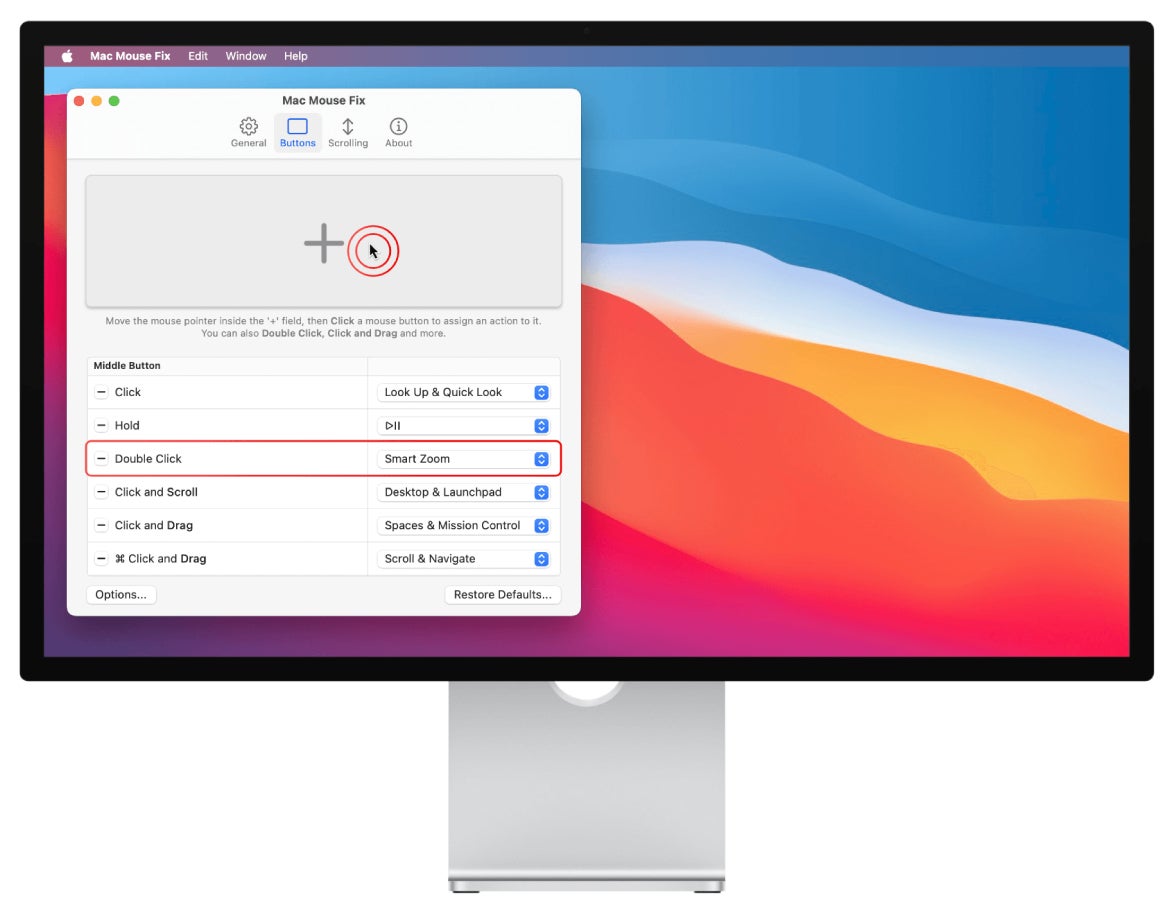
Mac Mouse Fix is perfect for anyone frustrated by the default macOS mouse settings. It brings all the features of an Apple trackpad, such as Quick Look and Zoom, to a third-party mouse. Mac Mouse Fix also addresses common issues like pointer acceleration and scroll smoothing and allows for customization of mouse actions that are activated by clicking, dragging, and scrolling. Finally, it is 100% open-source to provide peace of mind.
Features
- Scroll smoothing
- Custom mouse actions
- Keyboard shortcuts
- Smart Zoom
- Back-and-forward gestures
- 360-degree scrolling
- Open-source code
Price
$2.99, after a 30-day free trial
3. Input Remapper: Best for Linux
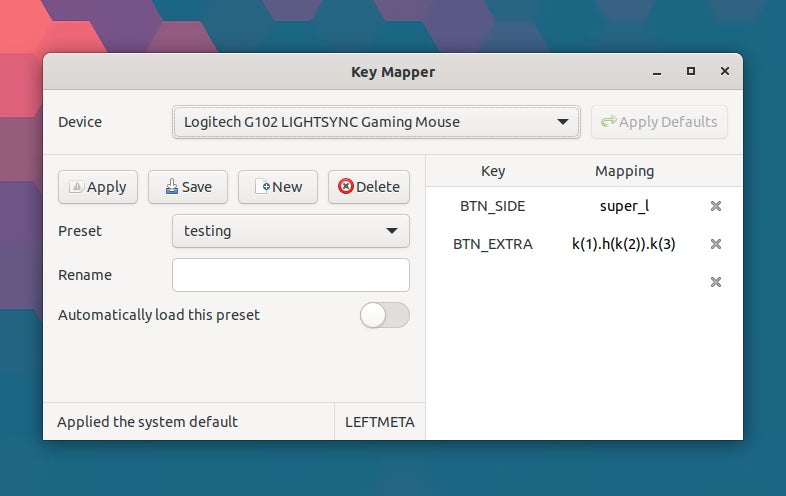
If you’re a Linux user, the best tool for customizing your mouse is Input Remapper. The creator, sezanzeb, has made it available for free on GitHub. It has a simple Graphical User Interface that makes it easy to assign mouse actions to a different button and set up timed macros. On top of computer mice, the program can be used to map keyboards, D-Pads, and joysticks.
Features
- Graphical interface
- Mouse remapping
- Keyboard remapping
- Programmable macros
- X11 and Wayland support
- Joystick and gamepad support
Price
Free
Must-read Apple coverage
4. WizMouse: Best for older Windows PCs
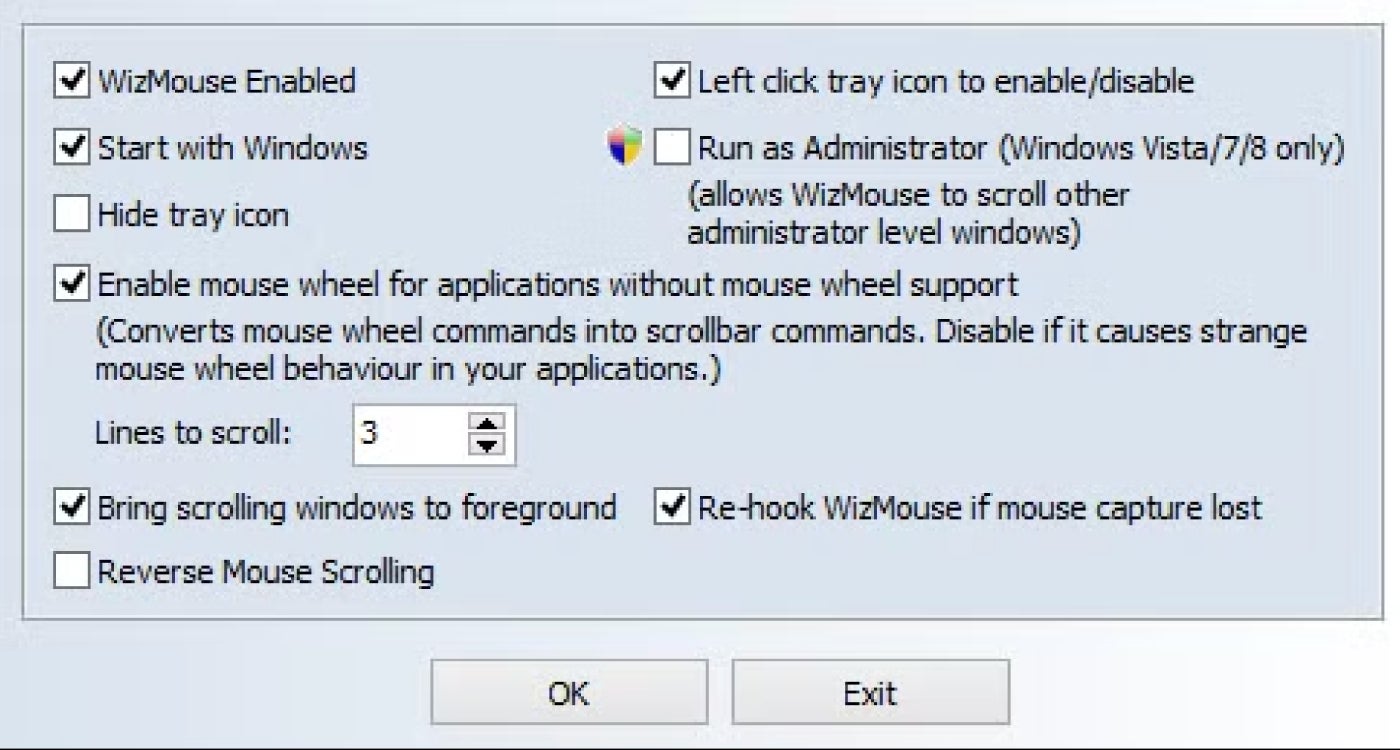
WizMouse is a free utility that can be used to customize mouse behavior. The utility enables the mouse wheel for applications that do not natively support its use. There is also a handy “reverse” function for use when the mouse scrolling is backward. WizMouse can be enabled or disabled from the system tray.
Features
- Scrolling in a non-active window
- Scrolling in applications that don’t support a mouse wheel
- Reverse scrolling
- Installer and portable versions
Price
Free
5. Macro Recorder: Best for recording macros
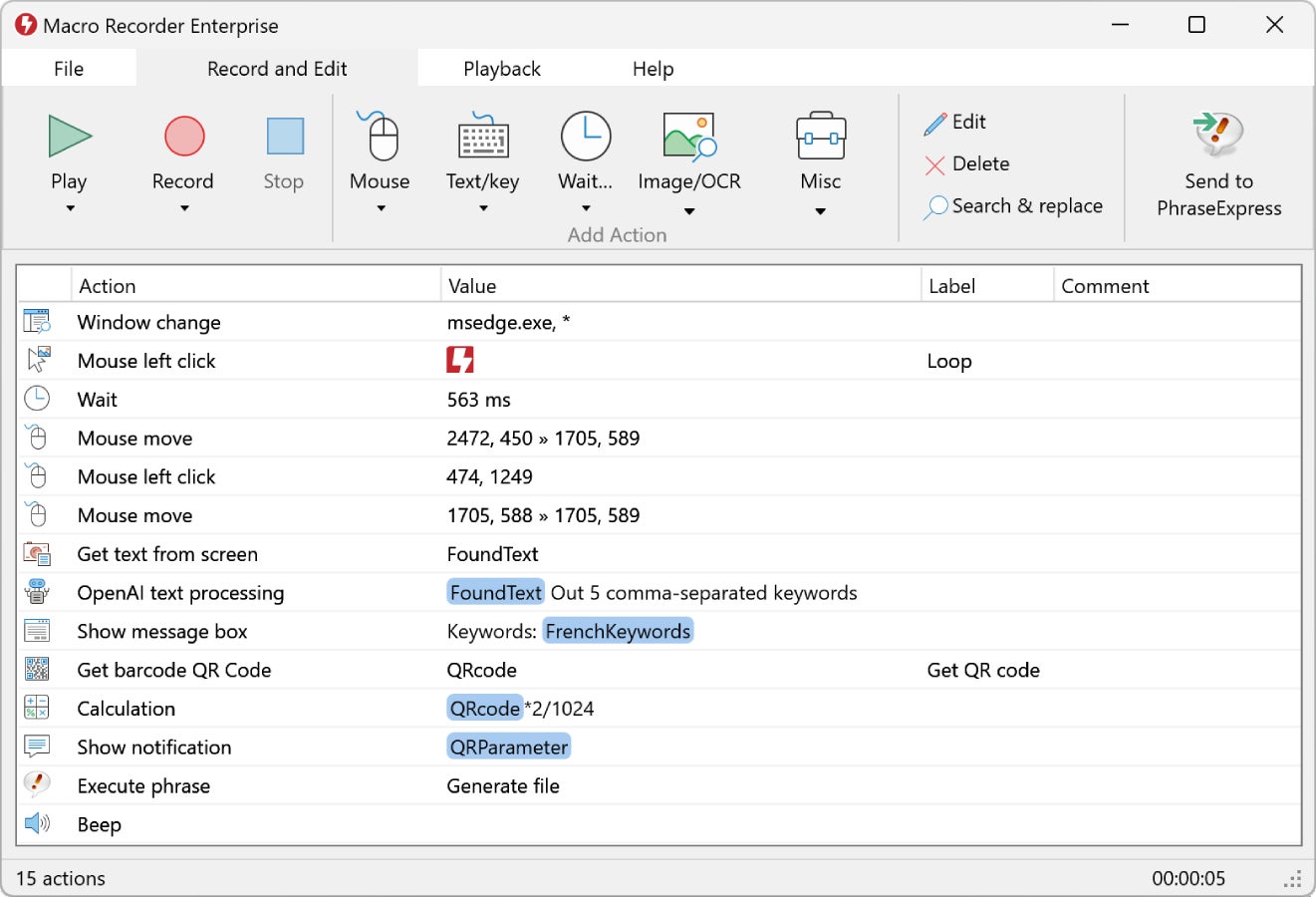
Macro Recorder can be used to automate repetitive tasks completed with a mouse and keyboard. The tool records mouse movements, clicks, scroll wheel actions, and keyboard input, then plays them back to save time. The software also includes an editor for reviewing and adjusting recorded actions.
Features
- Mouse and keyboard recording
- Macro playback
- Editable recorded actions
- Repeat controls
- Program execution
- Advanced automation features in higher editions
Price
Standard Edition starts at 83.99 EUR before VAT.
What is mouse button remapping, and why is it useful?
Mouse button remapping assigns the default functions of mouse buttons to different actions. This can be done using software that allows users to customize each button’s behavior, such as executing a keyboard shortcut or launching an application. This is useful because, depending on how you use your device, it can enhance productivity and decrease repetitive strain. For example, gamers can assign complex combos to a single mouse button, while professionals can streamline workflows by assigning custom shortcuts.
How to choose the best mouse button mapping software
Start with compatibility. A strong mouse app should support your operating system, mouse model, and the actions you want to customize. Then, compare how easy it is to create profiles, remap buttons, adjust scrolling, or build macros without extra setup.
Also check whether the software is still maintained, whether pricing is clear, and whether the free version or trial gives you enough room to test it. Free tools can work well for simple remapping, but paid options may be worth it if you need polished Mac controls or advanced automation.
Methodology
To build this list, I reviewed mouse software across Windows, macOS, and Linux and compared each tool’s remapping options, scroll controls, gesture support, macro features, device compatibility, pricing, and ease of setup.
Each pick was selected for a distinct use case and its ability to add controls beyond basic system mouse settings.
Brien Posey contributed to this article.
Read our guide to compare the top enterprise VPN solutions for 2026 across security, pricing, remote access, and zero-trust capabilities.


