


Shopify and Google Sites both let you build a website, but that is where the similarity ends.
We have spent hundreds of hours testing website builders and ecommerce platforms, and after putting both tools through their paces, Shopify is the clear winner if you want to sell online. Google Sites only makes sense if you need a free, basic site with no store attached.
Shopify vs Google Sites: Quick Verdict
- Shopify – Best overall, the right choice for any business that actually wants to sell products online
- Google Sites – Best for free, simple informational sites, internal team hubs, and project pages
In this comparison, I will take a closer look at why Shopify outperforms Google Sites for ecommerce, comparing the two on pricing, sales features, design, SEO, and more. I will also explain the rare scenarios where Google Sites is genuinely the smarter pick.
Key Takeaways
- Shopify is a purpose-built ecommerce platform with a native catalog, checkout, payments, and an app store with thousands of integrations
- Google Sites is completely free but has no cart, no checkout, and no product catalog, so it cannot run a standalone online store
- Shopify costs $29 to $299 per month (billed annually), while Google Sites costs nothing unless you add a custom domain through Google Workspace from $7 per user per month
- Google Sites can display products with external links or embedded buy buttons, but Shopify actually sells them
Quick Comparison: Shopify vs Google Sites
Get a quick and clear overview of Shopify and Google Sites in the table below:
| Aspect | Shopify | Google Sites |
|---|---|---|
| Core purpose | Full ecommerce platform for selling products and services | Simple site builder for informational and internal sites |
| Pricing | $29 to $299/month (billed annually) | Free; custom domain via Google Workspace from $7/user/month |
| Ecommerce | Native catalog, cart, checkout, payments, inventory | None; external embeds or links only |
| Apps and integrations | 12,000+ apps, multichannel selling via Google, YouTube, and social | Google Workspace embeds only (Docs, Sheets, Forms, Calendar) |
| Design | Professional theme store, code access via Liquid, HTML, and CSS | A handful of basic templates, limited customization |
| SEO | Editable meta tags, blogging, structured data, app support | Basic meta settings, weak blogging, no schema control |
| Support | 24/7 live chat plus extensive documentation | Help docs and community forums only |
| Best for | Online stores, DTC brands, multichannel sellers | Intranets, classrooms, project hubs, basic info sites |
1. Best for Pricing: Google Sites
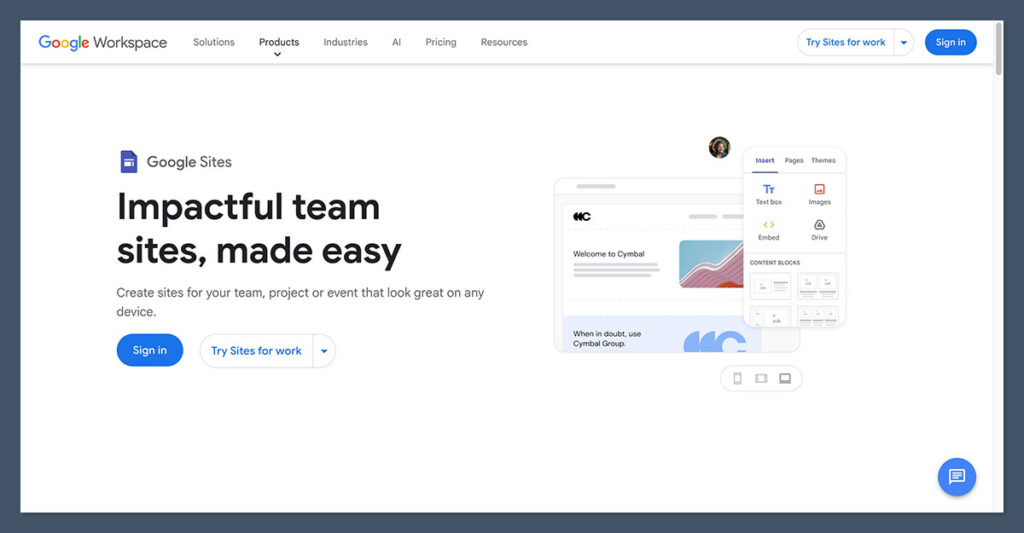
If sticker price is all that matters, Google Sites wins without breaking a sweat. The builder and hosting are completely free with any Google account, and there are no plans, tiers, or transaction fees to think about.
The only real cost appears if you want a custom domain and business-grade tools. For that, you will need a domain (typically $10 to $20 per year) and, if you want professional email and admin controls, a Google Workspace subscription. Workspace Business Starter costs $7 per user per month on an annual commitment, or $8.40 per user per month with flexible billing.
Shopify, by contrast, is a paid platform from day one. Here are its three core plans:
- Basic – $29/month billed annually ($39 billed monthly), 2.9% + 30¢ per online card transaction with Shopify Payments; a full store with unlimited products, abandoned cart recovery, and up to 2 staff accounts
- Grow – $79/month billed annually ($105 billed monthly), with lower card rates; adds standard reports, advanced inventory tools, and up to 5 staff accounts for growing teams
- Advanced – $299/month billed annually ($399 billed monthly), with the lowest card rates; adds custom reporting, third-party calculated shipping rates, and up to 15 staff accounts for scaling stores
Shopify also offers a $5/month Starter plan for selling through social media and links, plus Shopify Plus for enterprise brands from around $2,300 per month. You can test the platform with a three-day free trial, and the introductory deal gets you your first three months for $1 per month on annual plans.
So Google Sites is the cheaper option by a mile. But here is the catch: you are comparing the price of a tool that can sell products with the price of one that cannot. If your site needs to generate revenue, Shopify’s monthly fee buys you checkout, payments, inventory, and order management that Google Sites simply does not have at any price.
The Winner: Google Sites is free, but you get what you pay for
Google Sites wins on cost alone since the builder and hosting are completely free. Shopify costs $29 to $299 per month, but it is the only one of the two that can actually process a sale.
2. Best for Selling Online: Shopify

This is the category that decides the whole comparison, and it is not close. Shopify is one of the most complete ecommerce platforms on the market, while Google Sites has no native ecommerce functionality at all.
Sales Features
With Shopify, you get full catalog management with product variants, inventory tracking across locations, digital products, subscriptions, discount codes, and abandoned cart recovery on every core plan. Shopify Magic, the platform’s built-in AI, generates product descriptions and marketing copy directly from your dashboard.
Google Sites offers none of this. There is no cart, no checkout, and no product catalog.
When I tested it, the closest I could get to a store was creating product pages with images and text, then linking out to an external payment page or embedding third-party buy buttons. Ironically, one of the most common workarounds is embedding Shopify buy buttons into a Google Sites page, which tells you everything about which platform is doing the actual selling.
Payment Options
Shopify supports more than 100 payment providers, including PayPal, Apple Pay, and Google Pay, or you can use Shopify Payments, the native gateway. With Shopify Payments, online card rates start at 2.9% + 30¢ on the Basic plan and drop as you move up the tiers, and you avoid the additional transaction fees Shopify charges when you use a third-party gateway.
Google Sites has no payment processing whatsoever. Any transaction has to happen on another platform entirely.
App Market
Shopify’s app store now hosts more than 12,000 third-party integrations covering everything from dropshipping and print on demand to upsells, reviews, and shipping automation. Some of the best apps carry their own monthly fees, so factor that into your budget, but the breadth of functionality is unmatched.
Google Sites has no app marketplace. Its extensibility is limited to embedding Google Workspace content like Docs, Sheets, Forms, and Calendar, plus the occasional third-party widget via embed code.
The Winner: Shopify is the only real ecommerce option here
Shopify gives you a native catalog, checkout, 100+ payment options, and 12,000+ apps. Google Sites can display products, but Shopify actually sells them.
3. Best for Marketing and SEO: Shopify
Customers cannot buy your products if they do not know they exist, so marketing tools matter almost as much as sales features.
Marketing Tools
Shopify connects your store to social platforms like Instagram and TikTok, and the official Google & YouTube app syncs your product feed to Merchant Center, powers Performance Max campaigns, and enables YouTube Shopping. Shopify Email lets you build and send campaigns from your dashboard, and the app store fills any remaining gaps with SMS, loyalty, and automation tools.
Google Sites has essentially no marketing toolkit. There is no email marketing, no social selling, and no advertising integration beyond what you can wire up manually with external tools.
SEO
Shopify offers editable title tags and meta descriptions, SEO-friendly URLs, a built-in blog, and structured data through themes and apps. That foundation matters more than ever now that AI-driven search surfaces are deciding which stores get cited and recommended; building deep, interlinked content around your products is what earns that visibility, and Shopify’s blogging and CMS capabilities make it possible.
Google Sites handles the basics: pages are mobile friendly by default and you can set simple meta information. But there is no schema control, blogging is clunky at best, and the design constraints make it hard to build the kind of topical content hubs that perform in either traditional or AI search. Being a Google product earns it no ranking favors.
The Winner: Shopify has the tools to actually get found
Between native SEO controls, blogging, Google Merchant Center integration, and multichannel selling, Shopify gives your products real visibility. Google Sites covers only the bare minimum.
4. Easiest to Use: Google Sites
Here is where Google Sites earns genuine credit. It is one of the easiest website builders I have ever tested. The drag-and-drop editor is instantly familiar to anyone who has used Google Docs, and you can have a presentable page live within minutes. There is nothing to configure, no hosting to think about, and collaboration works exactly like the rest of Google Workspace, with multiple editors and granular sharing controls.
Shopify is user friendly for what it is, but what it is happens to be a full commerce platform. Onboarding walks you through a setup checklist covering products, payments, shipping, and taxes, and the section-based theme editor is straightforward once you find your bearings. Still, expect a learning curve: shipping zones, tax settings, and app configuration all take time that Google Sites simply never asks of you.
The fair way to frame this: Google Sites is easier because it does far less. If your goal is a simple information page, that simplicity is a feature. If your goal is a store, Shopify’s added complexity is the price of functionality you genuinely need.
The Winner: Google Sites is effortless for simple pages
Google Sites gets you from blank page to published site in minutes with zero setup. Shopify is approachable for an ecommerce platform, but it cannot match that simplicity.
5. Best for Design and Templates: Shopify
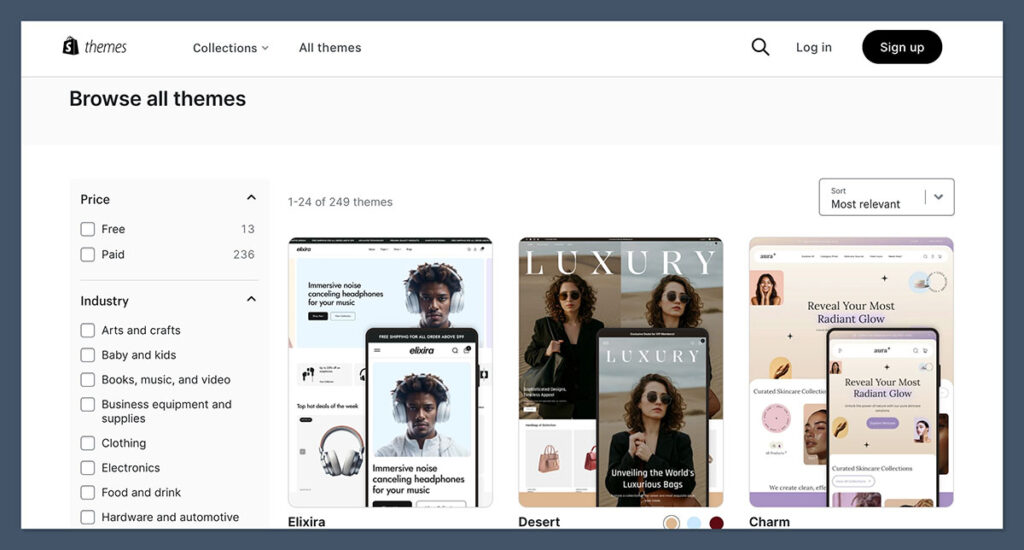
Shopify’s theme store offers a wide range of professionally designed templates organized by industry, with free options to get started and premium themes typically priced between $100 and $500 as a one-time purchase. Every theme is customizable through the section-based editor, and developers can go deeper with Liquid, HTML, and CSS for fully bespoke storefronts.
Google Sites provides only a small set of clean, minimalist templates. They look tidy, but customization is heavily constrained: limited layout options, little control over typography and spacing, and no theming system to speak of. Every Google Sites page tends to look like, well, a Google Sites page.
For an internal wiki, that uniformity is harmless. For a brand trying to build trust with paying customers, it is a real limitation.
The Winner: Shopify gives your brand a real storefront
Shopify’s theme store and code-level customization let you build a distinctive, professional store. Google Sites keeps things clean but generic, with very little room to make a site your own.
6. Best for Support: Shopify
To fairly compare their help and support options, I have collected the key positives and drawbacks of each platform:
Shopify Support
- ✔️ 24/7 live chat assistance is available through the Help Center, with escalation to human advisors for complex queries
- ✔️ The Help Center is very thorough, featuring guides, video tutorials, a community forum, and business courses
- ✔️ A large merchant community and partner ecosystem means answers to almost any question already exist somewhere
- ❌ Priority and phone support are reserved for Shopify Plus merchants on enterprise plans
Google Sites Support
- ✔️ Help documentation covers the basics clearly
- ✔️ Google Workspace subscribers get access to Google’s standard Workspace support channels
- ❌ Free users have no dedicated support at all; you are limited to help docs and community forums
- ❌ Google Sites is a low-priority product in Google’s portfolio, so feature updates and detailed resources are sparse
The Winner: Shopify backs its merchants around the clock
Shopify offers 24/7 live chat and a deep library of guides and courses. Free Google Sites users are on their own with help docs and forums.
When Google Sites Is Actually the Right Choice
To be fair to Google Sites, it was never built to compete with Shopify, and there are scenarios where it is genuinely the better tool:
- Internal resources – intranets, HR hubs, onboarding portals, project documentation, and classroom sites, especially for teams already living in Google Workspace
- Simple public pages – event one-pagers, club sites, or basic “business card” sites where the budget is zero and nothing is being sold
- Collaborative mini-sites – pages co-edited by a team, with embedded Docs, Sheets, and Forms, and domain-based access control
If your needs fit one of those buckets, Google Sites is free, fast, and perfectly adequate. The moment selling enters the picture, it stops being an option.
How We Test Ecommerce Website Builders
We regularly review and analyze website builders and ecommerce platforms using a carefully shaped and rigorous research process. We test across seven key areas, weighted according to their importance to the reader, to form our rankings:
| Testing Area | Weighting | What We Assess |
|---|---|---|
| Sales Features | 40% | The ecommerce capabilities of each platform |
| Website Features | 15% | The quality and quantity of website features available, such as SEO |
| Help and Support | 12% | The support channels and resources available for businesses |
| Design Functionality | 10% | Templates and design options |
| User Experience | 10% | Hands-on testing of ease of use and accessibility |
| Customer Score | 8% | How a platform performs in its market and against competitors |
| Value for Money | 5% | Pricing plans and what you get for your money |
I have tested both Shopify and Google Sites myself to make sure the insights and recommendations I share are based on real, first-hand experience with both platforms.
Shopify vs Google Sites: Our Winner
For anyone looking to sell online, Shopify is the winner, and frankly it wins by default. It offers a complete commerce stack with native checkout, more than 100 payment options, a theme store built for conversion, and over 12,000 apps to extend your store. Google Sites cannot process a single transaction on its own.
That said, this comparison is really about matching the tool to the goal. Google Sites is a free, genuinely easy builder for internal hubs, classrooms, and simple informational pages, and for those jobs it beats paying for Shopify. Some businesses even use both: a Google Sites page for internal documentation and a Shopify store for revenue.
If you are weighing these two for an online store, the decision is already made. Start with Shopify’s free trial, take advantage of the $1 per month introductory offer, and save Google Sites for your team wiki.
FAQs
Can you sell products on Google Sites?
Not directly. Google Sites has no shopping cart, checkout, or payment processing. You can display products and link to external payment pages, or embed third-party buy buttons (including Shopify buy buttons), but any actual transaction happens on another platform.
Is Google Sites really free?
Yes. The builder and hosting are free with any Google account, and your site lives on a sites.google.com address. If you want a custom domain with business email and admin controls, you will need your own domain plus a Google Workspace plan, which starts at $7 per user per month with an annual commitment.
How much does Shopify cost?
Shopify’s core plans run from $29 to $299 per month when billed annually, or $39 to $399 billed monthly. There is also a $5/month Starter plan for selling through social channels and Shopify Plus for enterprise brands from around $2,300 per month. New merchants on annual plans get their first three months for $1 per month.
Is Google Sites good for SEO?
Only for the basics. Pages are mobile friendly and you can set simple meta information, but there is no structured data control, blogging is very limited, and the platform offers none of the content and optimization tools serious SEO requires. Being owned by Google does not give Sites pages any ranking advantage.
Can I embed a Shopify store in Google Sites?
Yes. Shopify’s Buy Button channel generates embed code you can paste into a Google Sites page, letting visitors purchase through Shopify’s checkout. This requires an active Shopify subscription, so at that point most businesses are better off building the whole store on Shopify.
Which is better for a small business: Shopify or Google Sites?
It depends entirely on whether you sell online. If yes, Shopify is the only viable choice of the two. If you just need a simple informational presence and have no budget, Google Sites will do the job for free, though builders like Squarespace or GoDaddy offer more polish for a modest monthly fee.


