


The best white label CRM software gives businesses a ready-made customer management system they can brand, configure, and, in some cases, resell to clients. This is especially useful for marketing agencies, SaaS resellers, consultants, and service teams that need CRM, reporting, workflow, and client portal tools without building software from scratch.
| Software | Best for | Starting price |
|---|---|---|
| DashClicks | Marketing agencies that need a white label CRM | $199 per month |
| Bitrix24 | Teams that want flexible white label CRM pricing | $49 per organization per month, billed annually |
| Vendasta | Agencies scaling white label client management | $0 subscription with $99 monthly wholesale minimum |
| Pipedrive | Teams that need customizable sales workflows | $14 per seat per month, billed annually |
| OroCRM | Businesses with developers for CRM customization | Quote-based |
| ClickUp | Teams managing CRM tasks with projects and sprints | $7 per user per month, billed yearly |
Top white label CRM software comparison
The best white label CRM depends on how you plan to use it. Agencies may need branded client portals and fulfillment tools, while sales teams may care more about pipeline controls, workflow automation, and partner resale options.
| Software | Our rating out of 5 | White label branding | Reseller or agency support | Sales pipeline tools | Free option |
|---|---|---|---|---|---|
| DashClicks | 4.2 | Yes | Yes | Yes | No |
| Bitrix24 | 4.1 | Yes | Limited | Yes | Yes |
| Vendasta | 3.9 | Yes, on higher tiers | Yes | Yes | No |
| Pipedrive | 3.6 | Via partner | Yes | Yes | No |
| OroCRM | 3.2 | Yes, with customization | Yes, for OEM/reseller use cases | Yes | Yes |
| ClickUp | 4.1 | Enterprise plan | Limited | Via templates | Yes |
How I chose the best white label CRM software
I chose the best white label CRM software by comparing each provider’s branding options, CRM functionality, customization depth, integrations, pricing, scalability, support, and fit for reseller or agency use cases. I gave more weight to products that clearly support branded client experiences, configurable workflows, reporting, automation, and practical sales or customer management features.
Why you can trust my advice
I’ve spent the past decade helping to launch and manage retail and ecommerce businesses, giving me firsthand experience with sales operations, customer management, and workflow challenges that small businesses face every day. Alongside running digital marketing campaigns and ecommerce projects, I’ve worked with CRM systems to manage leads, track customer relationships, organize sales pipelines, and improve day-to-day business operations.
I also draw on experience working with major ecommerce platforms like Amazon and Shopify, and I regularly test and evaluate CRM, sales, and business management software.
DashClicks: Best overall white label CRM for marketing agencies

DashClicks is my top pick for agencies that want CRM, sales pipelines, reporting, project management, forms, inbox tools, websites, and fulfillment workflows in one branded platform. Its biggest advantage is that it was built around agency operations rather than generic CRM customization. That makes it a strong fit for teams that want to manage leads, clients, reports, projects, and white label services from one system instead of stitching together several tools.
Why I chose DashClicks
I chose DashClicks because it offers the clearest white label fit for marketing agencies. It supports branded client-facing services, unlimited users, unlimited sub-accounts, and a broad set of software tools that cover lead capture, sales, reporting, project work, and fulfillment. The trade-off is price: the platform is more expensive than several CRM-first tools, so it makes the most sense for agencies that will use more than basic contact and pipeline management.
DashClicks pricing
DashClicks lists one core software plan and a separate fulfillment option:
- DashClicks Pro: $199 per month for access to its all-in-one platform, including CRM, funnels, websites, projects, reporting, inbox, forms, payments, and related apps.
- Free Fulfillment Center: $0 software subscription. Agencies pay only for the fulfillment services they use.
Features
- White label agency platform with branded client-facing services.
- CRM and sales pipeline tools for managing leads and deals.
- Reporting dashboards for campaigns, projects, and client work.
- Website, funnel, form, and survey tools for lead generation.
- Unlimited users and sub-accounts.
- Fulfillment marketplace for white label marketing services.
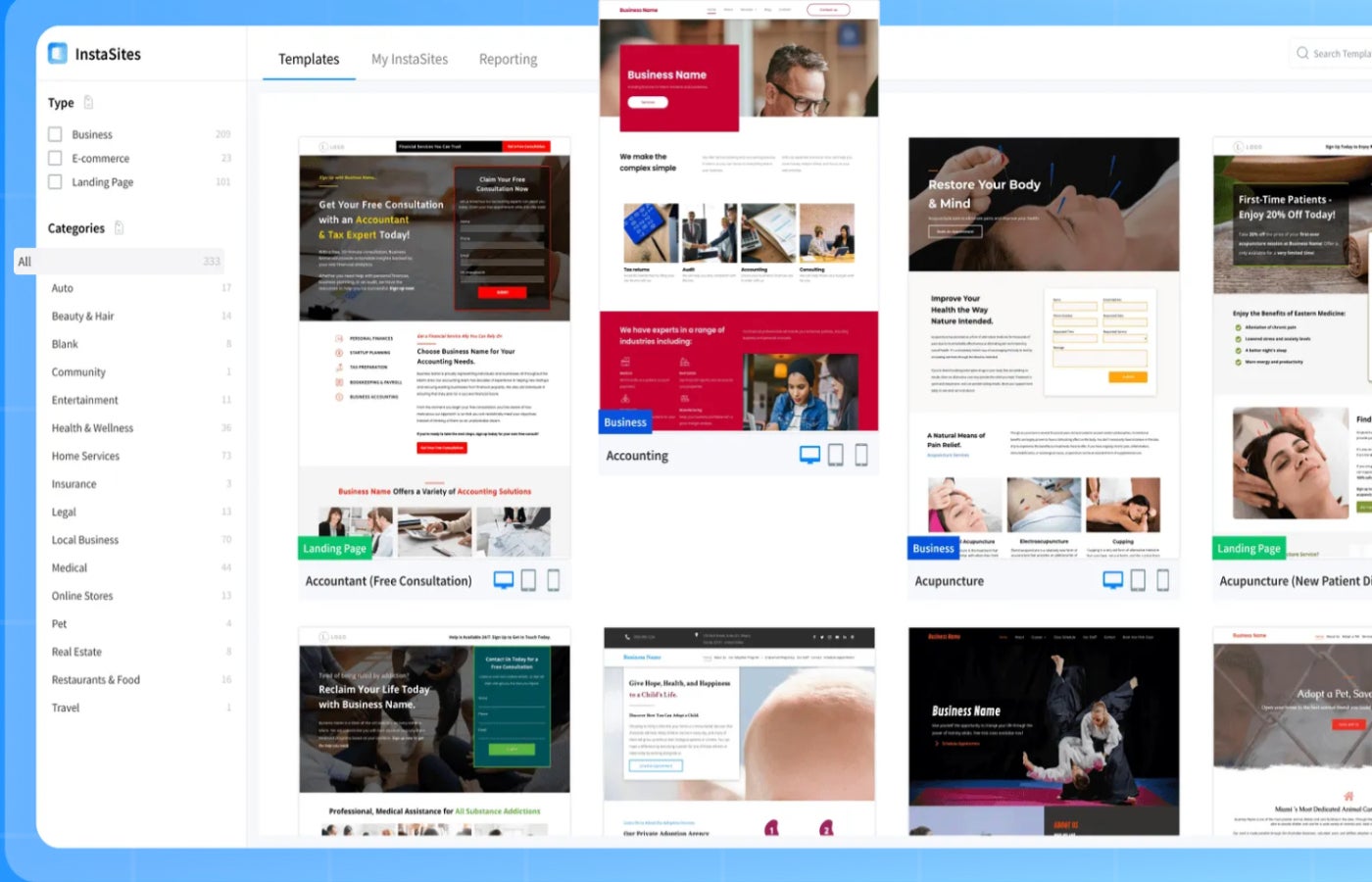
DashClicks InstaSite website template page. Image: DashClicks
DashClicks pros and cons
| Pros | Cons |
|---|---|
| Strong agency-focused white label tools. | More expensive than CRM-only providers. |
| Includes CRM, reporting, websites, forms, and fulfillment workflows. | May include more tools than a small sales team needs. |
| Unlimited users and sub-accounts. | The best fit is agencies, not every industry. |
| Useful for client reporting and service delivery. | Some teams may prefer a simpler CRM interface. |
Bitrix24: Best mix of pricing and features

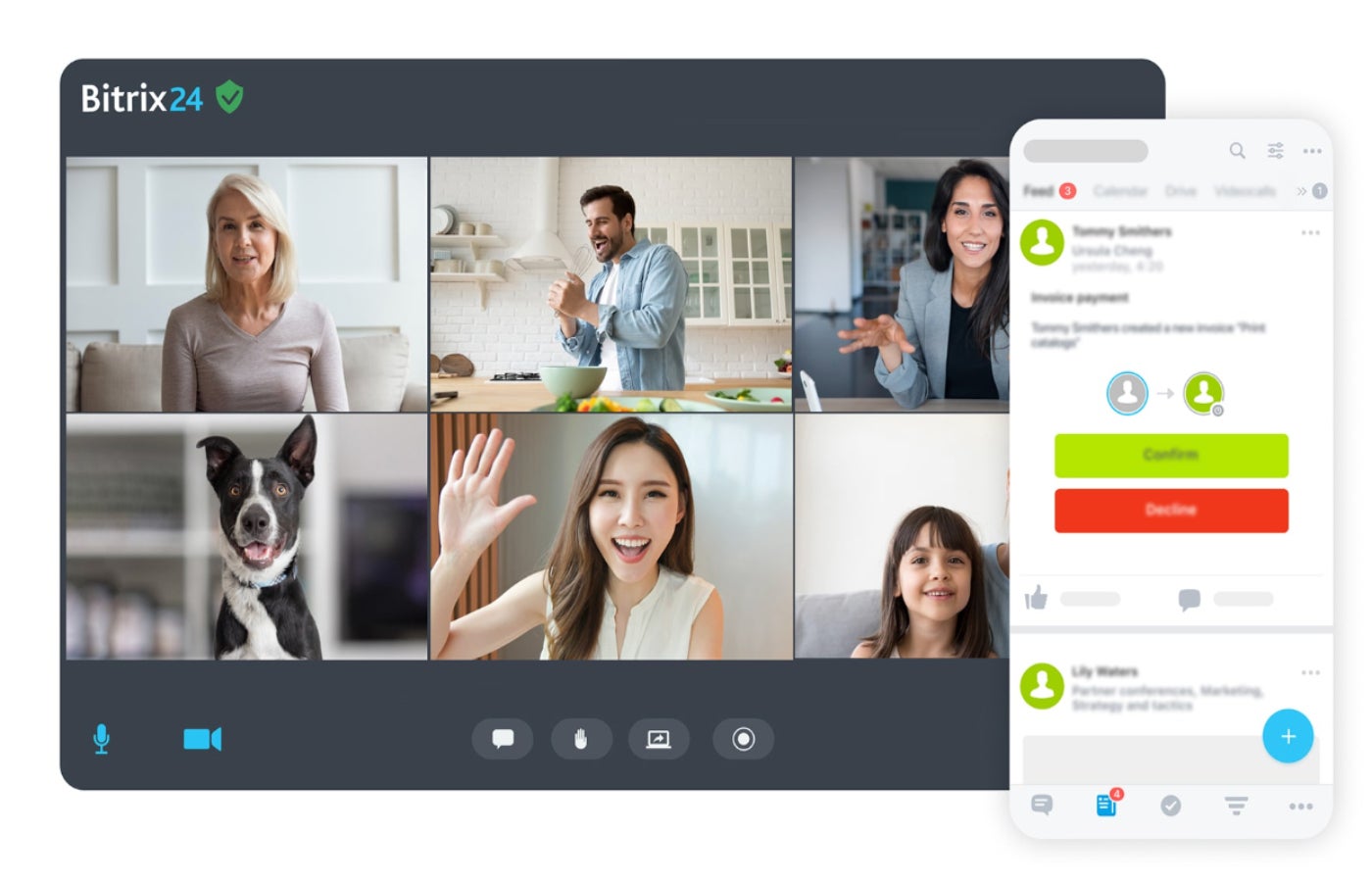
Bitrix24 is a broad business platform that combines CRM, collaboration, projects, communication, websites, automation, and ecommerce tools. Its flat-rate pricing makes it appealing for teams that want to add multiple users without paying a separate CRM fee for every seat. For white label CRM use cases, Bitrix24 works best for businesses that want a branded internal or client-facing workspace with many business tools included.
Why I chose Bitrix24
I chose Bitrix24 because it balances CRM functionality, collaboration, automation, and pricing better than most white label CRM options. It is not as agency-specific as DashClicks or Vendasta, but it gives teams a large feature set for sales pipelines, tasks, web forms, communication, invoicing, websites, and automation. The main drawback is usability: teams that want a simple CRM may find Bitrix24 harder to configure than Pipedrive.
Bitrix24 pricing
Bitrix24 uses flat organization-level pricing instead of per-user pricing:
- Free: $0 for 1 to 2 users, with basic CRM, tasks, calendars, chat, and video calls.
- Basic: $49 per organization per month, billed annually, and includes 5 users.
- Standard: $99 per organization per month, billed annually, and includes 50 users.
- Professional: $199 per organization per month, billed annually, and includes 100 users.
- Enterprise: Available for larger organizations, with pricing based on the selected user tier.
Features
- CRM with deals, contacts, leads, and sales pipelines.
- Web forms, website builder, and ecommerce tools.
- Task management, calendars, chat, and video calls.
- Sales automation and workflow automation on higher plans.
- Online payments, invoices, and estimates.
- Flat-rate plans that include multiple users.
Bitrix24 pros and cons
| Pros | Cons |
|---|---|
| Strong value for teams that need many users. | Can feel crowded for first-time users. |
| Includes CRM, projects, communication, and website tools. | White label use may require more setup. |
| Free plan available. | Advanced automation requires higher plans. |
| Flat-rate pricing can reduce per-user cost. | Support access varies by plan. |
Vendasta: Best for agencies reselling digital services

Vendasta is built for agencies and service providers that want to sell digital solutions under their own brand. It combines CRM, sales tools, client management, marketplace products, fulfillment services, and reporting. Vendasta is a better fit for agencies planning to resell marketing services or software than for companies that only need a white label sales database.
Why I chose Vendasta
I chose Vendasta because it supports one of the most specific white label use cases in this category: reselling digital products and services to local businesses. Agencies can use Vendasta to manage prospects, run client assessments, sell marketplace products, and deliver services with branded client experiences. Its pricing model and wholesale minimums make it less ideal for very small teams that only need CRM basics.
Vendasta pricing
Vendasta uses minimum-based pricing for channel partners. Qualifying spend on eligible Vendasta products and services can count toward the monthly minimum:
- Starter: $0 subscription with a $99 monthly minimum of wholesale products and services. It is billed monthly with no contract and includes 1 team member seat.
- Professional: $0 subscription with a $499 monthly minimum of wholesale products and services. It is billed monthly with a 1-year contract and includes 5 team member seats.
- Premium: $0 subscription with a $999 monthly minimum of wholesale products and services. It is billed monthly with a 1-year contract.
- Custom Enterprise: Quote-based pricing for larger partner needs.
Features
- CRM and sales tools for agency prospecting.
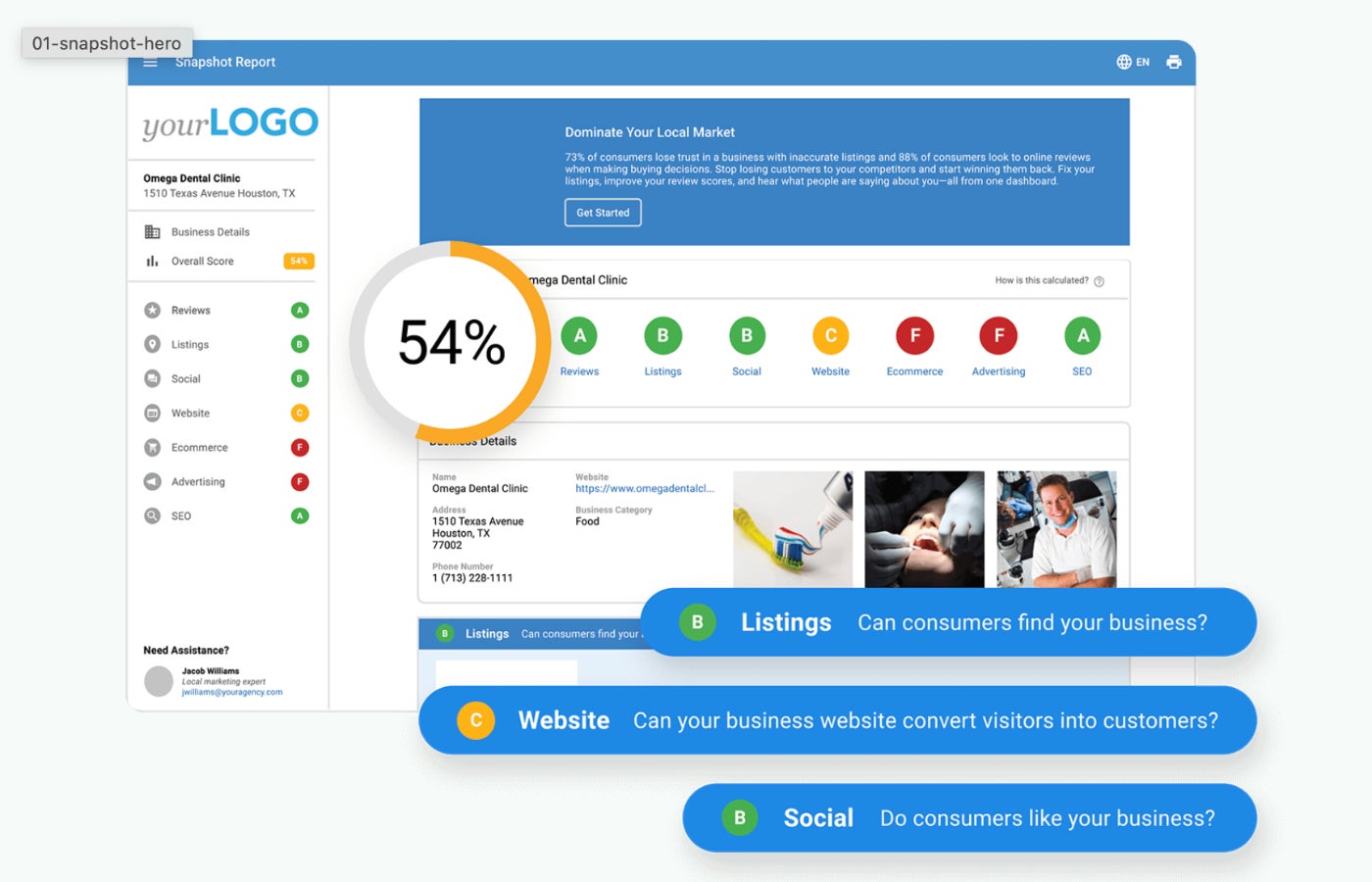
- Snapshot Reports for client needs assessments.
- Wholesale marketplace for resellable products and services.
- Client portal support.
- Co-branded or white label client experiences depending on plan.
- Agency-focused sales, fulfillment, and reporting workflows.
Vendasta pros and cons
| Pros | Cons |
|---|---|
| Strong fit for agencies reselling digital services. | Pricing model is less simple than standard CRM plans. |
| Includes marketplace and fulfillment support. | Starter plan uses co-branding. |
| Useful client assessment and reporting tools. | Best value depends on monthly wholesale usage. |
| Built for agency sales workflows. | Not ideal for teams that only need CRM basics. |
Pipedrive: Best for tailoring sales processes and automations
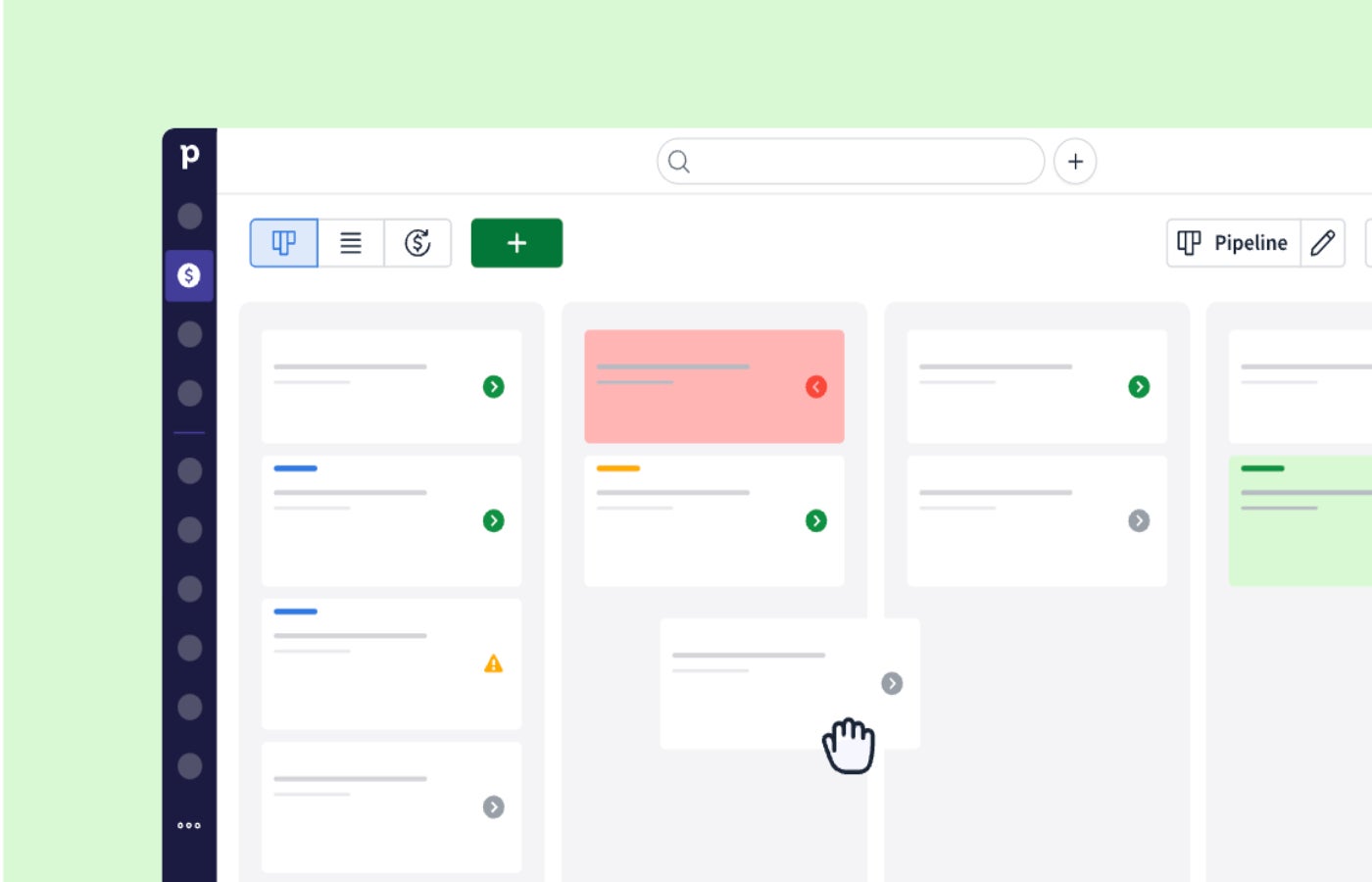
Pipedrive is a sales CRM built around visual pipelines, activity tracking, automation, reporting, and deal management. It is not a traditional white label platform in the same way as DashClicks or Vendasta, but it can work well for consultants, solution providers, and sales teams that want to customize pipelines, fields, workflows, and client sales processes.
Why I chose Pipedrive
I chose Pipedrive because it is one of the easiest tools on this list for building clear sales workflows. Teams can customize pipelines, automate follow-ups, sync email, track activity, and use integrations to fit a specific client or service model. It is best for businesses that want a flexible sales CRM with partner options, not a fully branded agency platform.
Pipedrive pricing
Pipedrive offers four main paid plans and a 14-day free trial:
- Lite: $14 per seat per month, billed annually.
- Growth: $39 per seat per month, billed annually.
- Premium: $59 per seat per month, billed annually.
- Ultimate: $79 per seat per month, billed annually.
Features
- Visual sales pipelines.
- Lead, deal, contact, and calendar management.
- AI-powered report creation.
- Email sync, tracking, and automation on higher plans.
- 500-plus integrations.
- Partner program options for service providers.
Pipedrive pros and cons
| Pros | Cons |
|---|---|
| Easy-to-use pipeline interface. | Not a full white label agency platform. |
| Strong workflow and sales automation tools. | Advanced features require higher plans. |
| Broad integration marketplace. | Add-ons can increase total cost. |
| Good fit for sales consultants and solution providers. | Limited native project management compared with ClickUp. |
OroCRM: Best for developer-led customization

OroCRM is an open-source CRM option for teams that want deeper control over code, data structure, and custom workflows. It is a stronger fit for developer-led organizations than for teams looking for a plug-and-play white label CRM. Businesses can use it to build a highly customized CRM experience, especially when they need B2B ecommerce, account management, customer segmentation, or reseller-specific workflows.
Why I chose OroCRM
The provided Oro pricing page does not list a public starting price. OroCommerce pricing is quote-based and depends on business and deployment needs, including:
- Commerce volume, or GMV.
- Number of admin users.
- Deployment and hosting choice, including OroCloud, customer-owned cloud, or on-premise deployment.
- Expansion across brands, countries, or business units.
The license includes B2B ecommerce, integrated CRM, payments, AI capabilities, content management, marketplace and multi-vendor tools, checkout, invoicing, and security features.
Features
- Open-source CRM foundation.
- Contact, account, lead, and opportunity management.
- Workflow and process customization.
- Customer segmentation and reporting.
- B2B ecommerce alignment through Oro’s broader product set.
- Developer-friendly customization options.
OroCRM pros and cons
| Pros | Cons |
|---|---|
| Strong fit for technical customization. | Requires developer resources for best results. |
| Free open-source option available. | No simple public pricing for enterprise use. |
| Useful for B2B ecommerce and account-based workflows. | Less friendly for quick setup than hosted CRMs. |
| Good option for custom white label builds. | Fewer plug-and-play agency tools than DashClicks or Vendasta. |
ClickUp: Best for branded project and client workspaces

ClickUp is primarily a work management platform, but it can support CRM-style workflows through templates, custom fields, automations, dashboards, forms, and client-facing spaces. Its white label value is strongest for agencies and service businesses that manage client projects, sprint boards, deliverables, and reporting rather than traditional sales pipelines only.
Why I chose ClickUp
I chose ClickUp because it gives teams a flexible way to build branded project and client workspaces. Its Enterprise plan includes custom branding, and its lower plans still offer useful task, dashboard, form, automation, and portfolio tools. ClickUp is not the strongest pure CRM in this guide, but it is a practical fit for teams that need to manage post-sale client delivery alongside light CRM workflows.
ClickUp pricing
ClickUp offers a free plan, two publicly priced paid plans, and a custom-priced Enterprise plan:
- Free Forever: $0 per user per month.
- Unlimited: $7 per user per month, billed yearly.
- Business: $12 per user per month, billed yearly.
- Enterprise: Custom quote.
Custom branding is only listed on the Enterprise plan, so ClickUp is best for teams that want branded client workspaces and are willing to use the custom-priced tier for full white label needs.
Features
- Custom fields, forms, tasks, and dashboards.
- Project, sprint, portfolio, and workload management.
- Automations and workflow templates.
- Client and guest permission controls.
- Custom branding on Enterprise.
- Integrations with tools like Slack, HubSpot, and Google Drive.
ClickUp pros and cons
| Pros | Cons |
|---|---|
| Strong project and delivery management tools. | Not a dedicated CRM platform. |
| Free plan available. | Custom branding requires Enterprise. |
| Useful for client workspaces and agency operations. | CRM setup requires configuration. |
| Affordable paid starting price. | Sales reporting is less native than Pipedrive or Bitrix24. |
More CRM coverage
How to choose the best white label CRM software for your business
Choosing the best white label CRM software starts with how you plan to use it. Some platforms are built for agencies that want to resell services, while others are better for internal sales teams, branded client workspaces, or custom CRM builds.
Step 1: Decide whether you need the CRM for internal use, client delivery, or resale
First, define the business model behind your white label CRM search. If you only need branded CRM software for your own team, focus on pipeline management, reporting, automation, and ease of use. If you need client delivery tools, look for branded portals, dashboards, project views, and permission controls. If you plan to resell software or services, prioritize reseller support, fulfillment options, marketplace access, and client account management.
DashClicks is the strongest overall option for marketing agencies that want branded software, reporting, services, and fulfillment. Vendasta is a better fit for agencies that want to resell digital products and services to local business clients.
Step 2: Match the platform to your core workflow
Next, narrow your list based on the work your team does every day. A sales-focused team should start with pipeline tools, contact management, deal tracking, follow-up automation, and reporting. A client services team should look for project views, dashboards, forms, client permissions, and branded workspaces.
Pipedrive is a strong fit if your main need is sales pipeline management. Bitrix24 is better if you want CRM, communication, projects, websites, and automation in one flat-rate platform. ClickUp is a practical option if your white label needs center on branded project management, client workspaces, and delivery workflows.
Step 3: Check how much branding control you actually get
White label CRM can mean different things depending on the vendor. Some platforms only let you add a logo, while others support custom domains, branded dashboards, client portals, reports, emails, and reseller experiences.
Before choosing a provider, confirm which branding features are included in the plan you can afford. If white labeling is only available on an enterprise or custom plan, ask for a demo and confirm the total cost before committing.
Step 4: Compare setup effort and technical requirements
Some white label CRM platforms are ready to use after basic setup, while others require developer work. Hosted tools like DashClicks, Bitrix24, Pipedrive, Vendasta, and ClickUp are generally easier to launch than open-source or custom CRM systems. OroCRM and OroCommerce are better suited for businesses with technical resources and a clear need for deeper customization.
Choose OroCRM if your team has developer support and wants to build a highly customized CRM environment. Otherwise, a hosted CRM will usually be faster to test and easier to maintain.
Step 5: Test the CRM with a real workflow before buying
Before committing, test each CRM with a realistic workflow. Add sample leads, create branded assets, build a sales pipeline, invite a test client or team member, and review the reporting experience.
The best white label CRM should make your brand feel consistent without forcing your team to manage software that is too hard to use every day. If setup feels difficult during the trial or demo, it will likely be harder once your team, clients, and data are fully inside the system.
Methodology: How I evaluated the best white label CRM software
I evaluated white label CRM software using a buyer-focused rubric that prioritizes branding options, CRM functionality, customization, integrations, pricing, scalability, support, and ease of use. I also considered whether each provider supports agency, reseller, or client-facing workflows.
The scoring categories were:
- Cost: 20% of the total score.
- Core CRM features: 20% of the total score.
- White label and branding options: 20% of the total score.
- Customization and workflow flexibility: 15% of the total score.
- Integrations and scalability: 10% of the total score.
- Ease of use: 10% of the total score.
- Customer support and trial access: 5% of the total score.
The final rankings reflect each provider’s best-fit use case, not only its total feature count. For example, DashClicks ranks best overall because of its agency-specific white label tools, while Pipedrive ranks lower for white label depth but remains a strong choice for sales teams that need clean pipeline customization.
Frequently asked questions
What is white label CRM software?
White label CRM software is customer relationship management software that a business can brand as its own. Depending on the provider, this may include adding your logo, using a custom domain, creating branded dashboards, offering client portals, or reselling CRM access under your company name.
What is the best white label CRM software?
DashClicks is the best overall white label CRM software for marketing agencies because it combines CRM, reporting, branded client tools, fulfillment options, and agency workflows in one platform. Bitrix24 is a strong alternative for teams that want a broad feature set at a flat organization-level price, while Vendasta is better for agencies reselling digital services.
How much does white label CRM software cost?
White label CRM software can range from free plans with limited branding to paid plans that cost hundreds of dollars per month. For example, some CRM tools start under $20 per user per month, while agency-focused white label platforms may start closer to $199 per month or use custom pricing. Always confirm whether white label features are included in the starting plan or reserved for higher tiers.
Can I resell white label CRM software?
Yes, some white label CRM platforms support resale, but not every CRM is built for it. If you want to resell CRM software or digital services, look for reseller programs, client account controls, fulfillment support, branded reporting, and marketplace options. Vendasta and DashClicks are better suited to resale and agency service models than traditional sales CRMs.
What features should I look for in a white label CRM?
Look for branding controls, contact management, sales pipelines, automation, reporting, integrations, user permissions, client portals, and support for multiple accounts or workspaces. Agencies should also check for fulfillment tools, branded reports, reseller options, and client-facing dashboards.


