


Finding a CEO email is easier than most people assume. This guide covers nine ways to find CEO email addresses in 2026, from free manual techniques to scalable B2B platforms that return verified executive email addresses in seconds. Whether you need one ceo email or a bulk list, at least one of these methods will work.
1. Use a B2B email finder tool
B2B email finder tools are the fastest way to find many CEO email addresses at once, and the best platforms back their data with accuracy guarantees. Tools like UpLead (95% data accuracy guarantee), Hunter.io, Lusha and Apollo let you search for CEO contacts by name, job title, company, or domain and return verified executive email addresses in seconds.
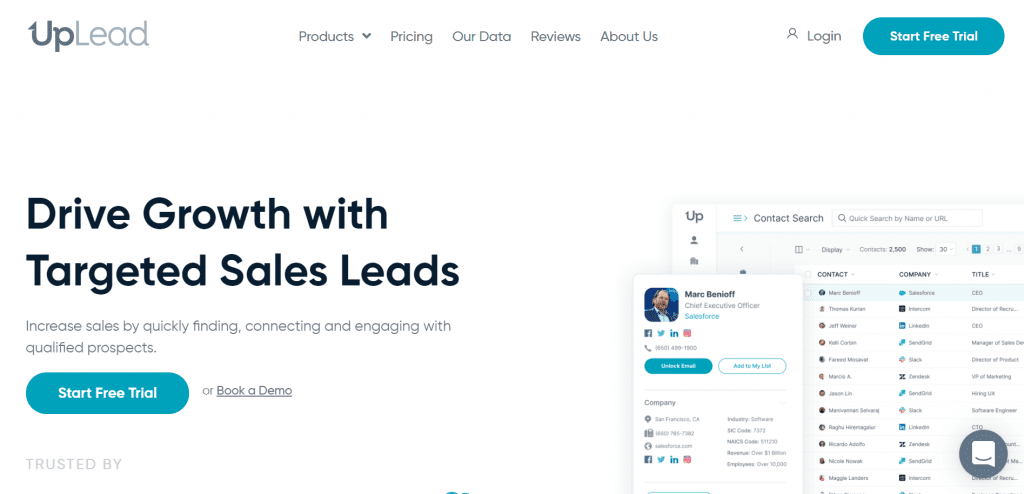
UpLead is a B2B sales intelligence platform used by teams at HubSpot, Google, Amazon and Dropbox. You can search 180 of verified B2B contacts by company, industry, location, or job title and pull CEO email addresses in bulk. Every email is verified in real time at the point of download, which is what backs UpLead’s 95% data accuracy guarantee. You pay only for contacts that are validated.
Beyond email, UpLead profiles include CEO phone numbers, direct dials, social profiles, and job titles. That means you can personalize outreach before you ever hit send. The platform also has an email address finder for one-off lookups when you need a single contact fast.
For teams that need many CEO email addresses quickly and reliably, a B2B tool is the only method that scales without trading accuracy for speed.
2. Search LinkedIn
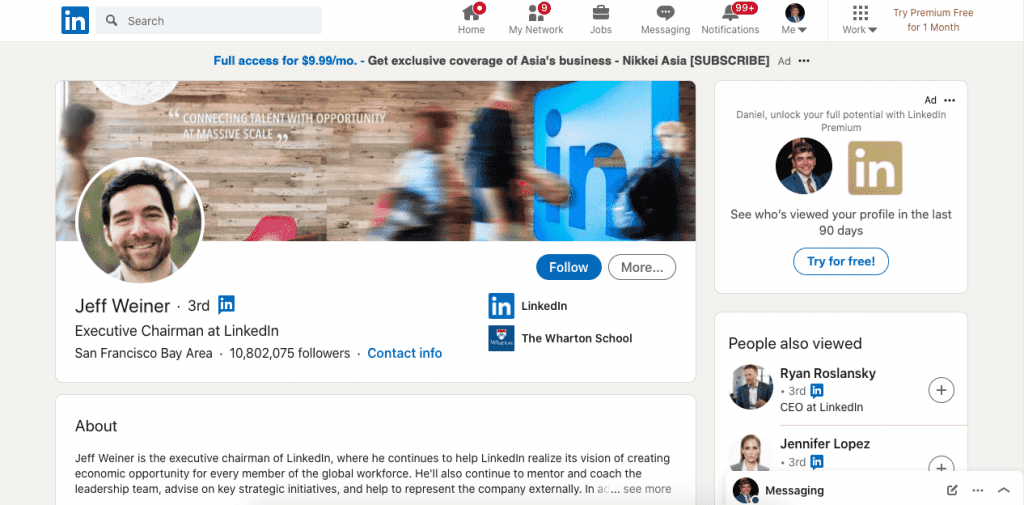
LinkedIn is one of the most reliable ways to find a CEO email address without paying for a tool. Search the company name on linkedin.com, open the People tab, and filter by CEO or Chief Executive Officer. Open the CEO LinkedIn profile and click Contact Info. Some CEOs list their email address there directly.
If the ceo email is not visible on the LinkedIn profile, you have two options. First, send a direct message asking for the best way to reach them by email. Keep it to two sentences. Second, use LinkedIn Sales Navigator, which adds advanced filters for title, company size, industry, and geography and lets you build targeted executive email lists for bulk prospecting.
LinkedIn works best for small and mid-size companies where CEOs are more likely to have a public LinkedIn profile and respond to connection requests.
3. Use a Chrome extension
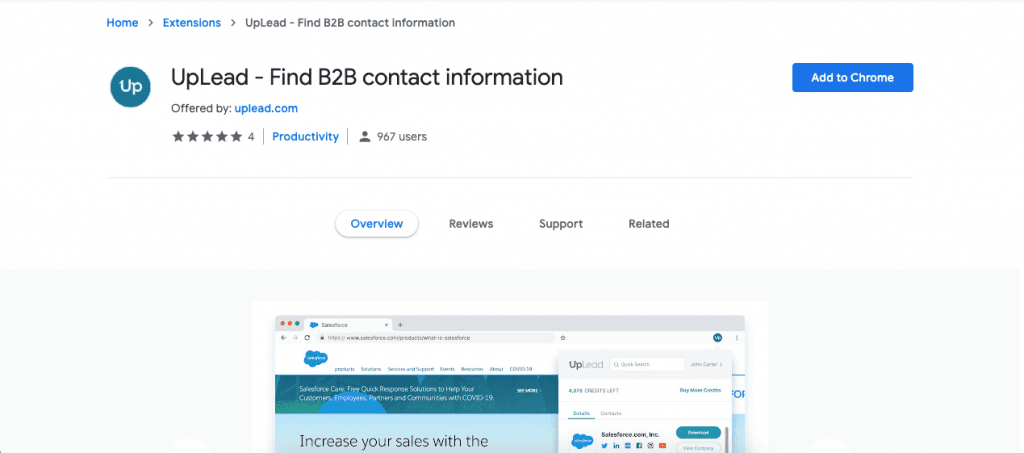
A Chrome extension surfaces CEO email addresses while you browse LinkedIn profiles or company websites without switching between tabs. UpLead’s browser extension, Lusha, and Skrapp all work this way.
With the UpLead extension, install it from the Chrome Web Store, then browse any LinkedIn CEO profile. The extension reveals the contact’s verified email address, phone number, and job title in a sidebar as you look at their profile. Download the data and move it directly to your outreach sequence.
Chrome extensions are especially useful when you are already prospecting on LinkedIn and want to pull contact details without leaving the page.
4. Use Google search operators
Google search operators help you find CEO email addresses that are published online. CEOs of smaller companies and startups often share their contact details on personal blogs, press releases, or company pages, and a targeted Google query can surface them in seconds.
Put the CEO’s full name in quotation marks to search for an exact match, then add keywords: “John Smith” CEO email or “John Smith” contact. To limit results to a specific company domain, add the site operator: site:company.com “CEO” email. You can also search for any email pattern on the company site with site:company.com “@company.com” to find any published executive email address.
Google operators are free and accurate when a CEO email is publicly available. They do not scale for list building and will not find ceo email addresses that are kept off public pages.
5. Check the company website
Company websites often list leadership teams on About Us, Our Team, or Leadership pages. Even when the CEO’s direct email is not shown, finding any employee email from the same domain reveals the company’s address format. Most companies use one of a handful of patterns: [email protected], [email protected], or [email protected]. Once you know the right pattern, you can construct the CEO email and verify it before sending.
Investor relations pages and press contact sections are also worth checking. Larger companies sometimes list a dedicated executive contact email there. You can find any email address format this way and use it as a starting point for verification.
6. Use AI to find CEO email addresses
AI tools like ChatGPT give you a fast way to find CEO email patterns and identify contact information you might otherwise spend time digging for manually. To use AI for ceo email lookup, provide the CEO’s name and company domain, then ask the tool to suggest likely email formats based on common patterns: [email protected], [email protected], or [email protected].
You can also ask AI to help you identify who the current CEO is at a given company if that is not clear from a quick search. Many AI tools pull from public data including LinkedIn profiles, press releases, and company websites to answer this kind of question.
The important limit: AI tools do not have live access to CEO email databases, so they cannot verify whether an address is active. Always run any AI-suggested CEO email through a verification tool before sending. UpLead verifies every email at the point of download, so you know the ceo email address is valid before you use a credit.
7. Reach out on X (Twitter)

Many CEOs are active on X and more reachable there than through a cold email to their inbox. There are two ways to use X to find a CEO’s email address.
The first is a direct message. Keep it to one or two sentences. Something like “Hi, I’d like to send you something. What’s the best email address to reach you?” works well. Make sure your own profile is complete before you send it.
The second is X’s advanced search. Open x.com/search-advanced and search for (at) and (dot) in the “all of these words” field, then enter the CEO’s handle in “from these accounts.” If they have ever posted their email address, it will appear in the results.
X works best for founders and startup CEOs who maintain an active public presence. It is free and accurate when it works but limited to contacts who use the platform.
8. Contact the company directly
Calling the company is one of the most overlooked methods because so few people try it. That is part of what makes it effective. For small to mid-size companies, a brief call to the main line asking who handles executive inquiries will often get you a direct email or a transfer to an assistant who can help.
For larger companies, a general inquiry email to the info@ or contact@ address works similarly. Keep the message short and explain your reason clearly. Someone in charge of routing communications will often reply with the right contact.
This method is free, accurate, and fast for one-off contacts. It does not scale well if you need many CEO email addresses at once.
9. Search organizations the CEO is affiliated with
Many CEOs serve on boards of hospitals, non-profits, trade associations, or government advisory groups. Those organizations often publish board member contact details on their websites, and the email addresses listed there typically redirect to the CEO’s primary inbox.
This method is useful when the CEO leads a large company and is otherwise difficult to reach. Search the CEO’s name on LinkedIn or Google alongside keywords like “board member,” “advisory council,” or “non-profit” to find affiliated organizations. Then check each organization’s website for a public contact directory.
The addresses you find this way tend to be accurate and active since they are connected to board responsibilities. The downside is that this process takes time and cannot be scaled for list building.
How the methods compare
Each method for finding CEO email addresses suits a different situation. Manually finding CEO email addresses works for one-off lookups but does not scale. Tools are faster and return more verified results. Use the table below to pick the right approach based on your use case.
| Method | Free or paid | Accuracy | Scalable | Best for |
|---|---|---|---|---|
| B2B email finder (UpLead) | Paid | High (95% guaranteed) | Yes | Bulk prospecting, verified lists |
| LinkedIn search | Free / paid (Sales Nav) | High | Limited | Small to mid-size company CEOs |
| Chrome extension | Freemium | High | Moderate | LinkedIn prospecting on the go |
| Google operators | Free | Medium | No | Single lookup, public email |
| Company website | Free | Medium | No | Format detection, small companies |
| AI email finding | Free | Low (needs verification) | No | Format guessing with verification step |
| X (Twitter) | Free | High when it works | No | Active social CEOs, founders |
| Contact company directly | Free | High | No | One-off contacts, small companies |
| Affiliated organizations | Free | High | No | Hard-to-reach or private CEOs |
Tips for cold emailing a CEO
Once you have a CEO’s email address, the message you send matters as much as how you found it. CEOs receive a high volume of email, so keep these principles in mind.
- Keep the subject line short. Five words or fewer performs better with senior executives. Avoid clickbait. A subject like “Quick question about [Company]” or “Intro from [Your Name]” is enough.
- Get to the point in the first sentence. State who you are and what you want. Do not warm up with compliments or a long introduction.
- Personalize the message. Reference something specific about their company, a recent announcement, or a problem they are likely facing. Generic messages get deleted.
- Make one clear ask. Do not put multiple requests in the same email. Ask for a 15-minute call or a reply to one question. One ask is easier to say yes to.
- Use cold email software for volume. If you are sending to many CEOs, a cold email platform lets you personalize at scale, track opens and replies, and manage follow-up sequences without losing individual context.
CEO Email FAQ
There is no single public CEO email directory. B2B platforms like UpLead maintain databases with millions of verified executive contacts and let you filter by job title, company, and industry. A free trial gives you access to search without a paid commitment.
Cold emailing a CEO for legitimate business purposes is legal in most countries, but you must follow applicable regulations. In the United States, the CAN-SPAM Act requires a clear subject line, an accurate sender identity, and an easy way for recipients to opt out of future emails. In Europe, GDPR applies to B2B email when you do not have a prior relationship, though legitimate business interest can provide a lawful basis in some cases. Always include an unsubscribe option and respect removal requests promptly.
Reliable free CEO email lists do not exist. Lists sold cheaply online are typically outdated and unverified, which leads to high bounce rates and potential deliverability problems. Most B2B tools including UpLead offer a free trial that lets you run targeted searches and build a list of verified CEO contacts before committing to a plan.
Run the address through an email verification tool before sending. UpLead verifies every email at the point of download so you know the address is valid before you use a credit. Alternatively, tools like Hunter.io and NeverBounce let you verify individual addresses for free up to a monthly limit. Verifying before you send protects your sender reputation and reduces bounce rates.
Start finding CEO email addresses today
For one-off lookups, free methods like LinkedIn search, Google search operators, and calling the company directly will get you many CEO email addresses without spending anything. When you need many ceo email addresses quickly or in bulk, a verified B2B platform is the only method that scales without trading accuracy for speed.
UpLead gives you access to millions of verified B2B contacts with a 95% data accuracy guarantee, real-time email verification at the point of download, and rich CEO profiles that include phone numbers, job titles, and social links. You can also buy leads by industry, company size, and location, or use the email finder for individual ceo email lookups.
Try UpLead free and start building your CEO contact list today.


