


If you’re generating leads, you’ll need to find the right phone number, to pitch your solution.
However, finding a phone number online isn’t always easy. Most people are happy to list their email, but they may hesitate to list their phone numbers.
Here, we’ll tell you how to find someone’s cell phone number by their name, get the best data on your leads, and even uncover the owners of phone and cell phone numbers.
Quick tip: If you want to bypass operators and receptionists, try UpLead to find mobile & direct dial phone numbers of prospects. 🔥 Try it free here.
Is It Legal to Look Up Someone’s Phone Number?
Yes, looking up a phone number is legal in most everyday situations, but which rules apply depends on why you’re looking and what you do with the number afterward. Reconnecting with an old contact, checking an unknown caller, or finding a prospect’s business line all sit in different legal buckets.
Personal use, like finding a friend’s number or screening a call, generally only touches public records and directory data, so there’s little regulatory risk. The moment you use a number to run a background check for employment, tenant screening, credit decisions, or insurance, the Fair Credit Reporting Act (FCRA) applies, and most people-search sites explicitly say they are not FCRA-compliant consumer reporting agencies. Don’t use a free people-search result as the basis for any of those decisions.
B2B sales and recruiting outreach falls under a different set of rules. The Telephone Consumer Protection Act (TCPA) and the national Do Not Call registry mainly govern consumer telemarketing, and business-to-business calls made for a legitimate business purpose usually face fewer restrictions than consumer cold calls. If you’re calling or texting contacts in the European Union or the UK, GDPR still governs how you source, store, and use their personal data, phone number included, so lean on verified providers that disclose where their data comes from rather than scraped lists.
A few habits keep any phone-number search on the right side of the law: work with providers that source data legally and offer opt-out options, respect a person’s request to stop being contacted, and never resell or publish a number you found through one of these tools. When in doubt about a specific use case, a quick conversation with legal counsel is cheaper than a compliance complaint.
Find Phone Number: 15 Services to Find Someone’s Phone Number
The best way to find someone’s phone number is to use the right tool. Here are the best ones and the ways to use them.
UpLead
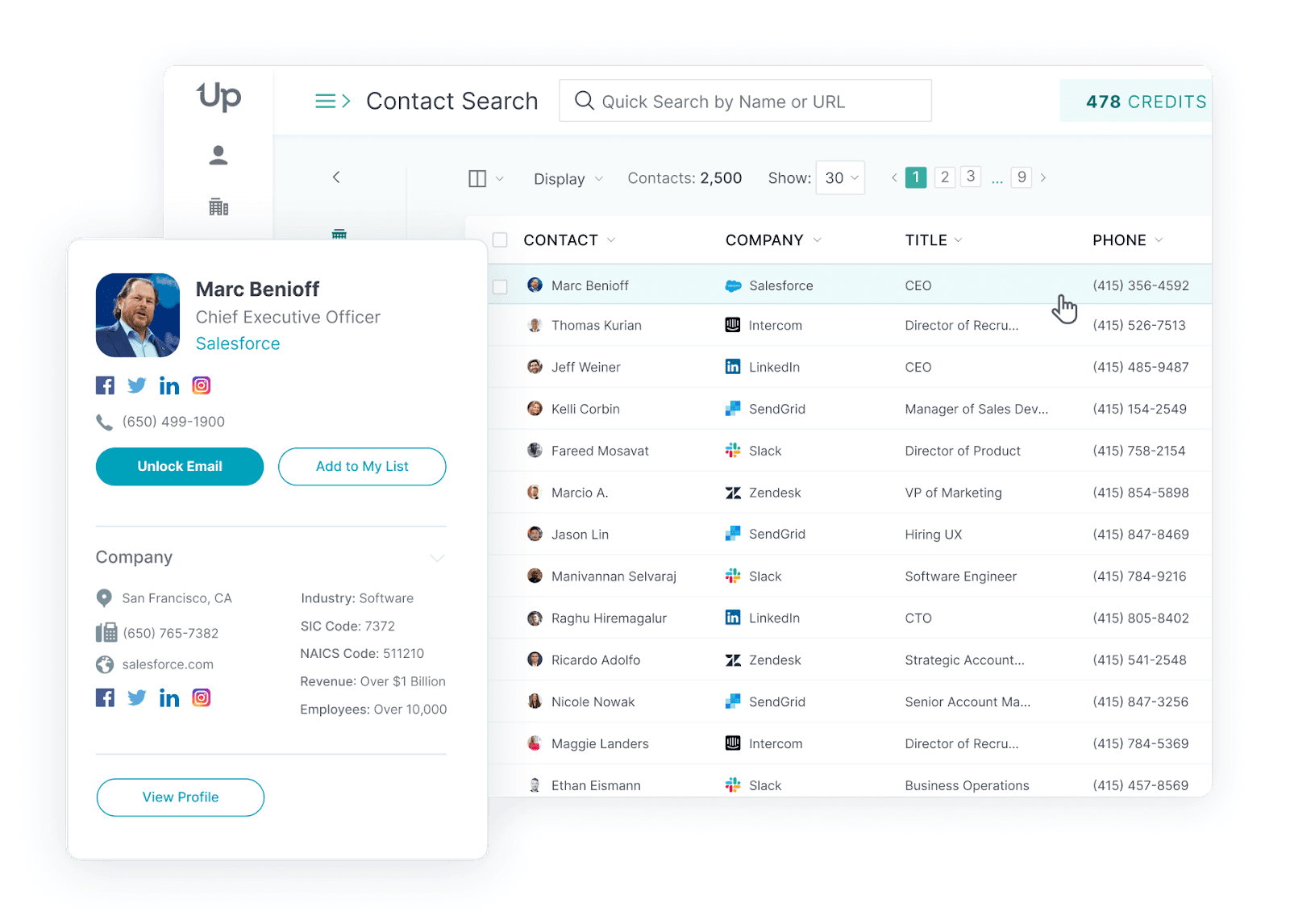
UpLead is a B2B lead generation platform that’ll help you find the right contacts. Unlike several other options here, UpLead offers a 95% data accuracy guarantee . So you know you won’t waste your time cold calling phone numbers and contacting leads that’ll go nowhere.
Finding someone’s phone number with UpLead is incredibly simple. Here’s how:
Contact Search
Browse UpLead’s 200+ million business worldwide contacts. Use over 50 criteria (such as job title, industry, tech used, and location) to narrow down your ideal leads, and download their phone numbers.
Next, simply download them and start calling them!
Contacts Lookup
Looking for someone’s phone number? Just use UpLead’s Contacts Lookup function to find all of your lead’s contact information.
With Contacts Lookup, you can search for a particular lead, to find their phone number and contact information to reach them.
Chrome Extension
With UpLead’s Chrome extension, you can find your lead’s phone number and other contact information directly on your browser.
You can also use it to find verified B2B emails and phone numbers while browsing on LinkedIn, or even directly browsing on a company’s website.
Rich Profiles
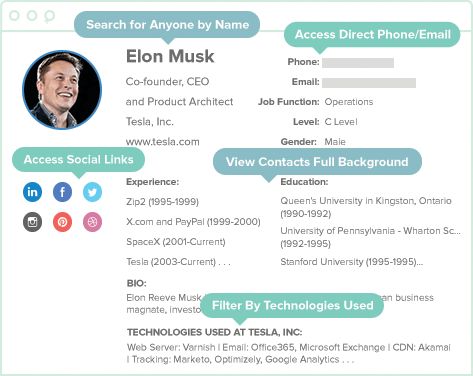
UpLead gives you access to valuable data via vibrant profiles. These profiles not only give you accurate information but also flesh out your sales prospects’ info, sometimes even linking to their social media. So you and your sales team can get to know them before calling their phone number. That way, your SDRs will adapt their process to reach your revenue targets.
Real-time verification
With UpLead, you’re guaranteed to get data at least 95% of the time, and you can verify it as you go.
UpLead’s data goes through a rigorous verification process that ensures you obtain accurate contact details. Once the system acquires it, it uses machine learning, rule-based learning, and proprietary algorithms to analyze and qualify the data and remove incorrect or unverifiable information.
After you download your lead’s data, UpLead verifies it in real time, so your information stays current when you need it. You can keep adding leads as your sales cycle demands, without worrying about data accuracy.
UpLead’s capabilities:
- Bulk research possible: Yes
- Personal phone number: Yes
- Business phone numbers: Yes
- Reverse phone number lookup: Yes
Start your free UpLead trial today and grab 5 free leads.
AnyWho
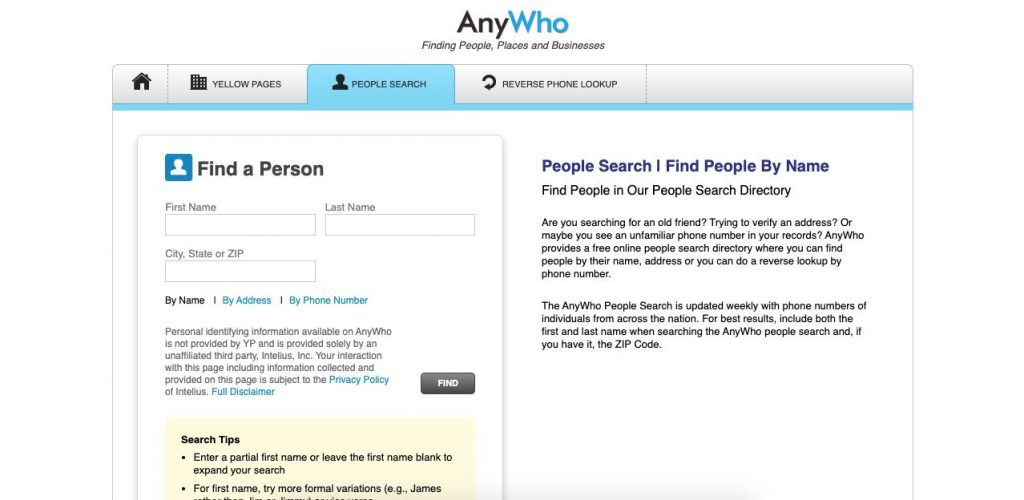
AnyWho is a free phone number lookup service. With it, you can search the White Pages for someone’s phone numbers. You can also find out who owns a phone number via reverse lookup.
AnyWho is great if you want a free service for local lead generation in the United States.
Using it is very simple. Just input the information of your lead (first name, last name, and zip code) into the website to find phone numbers of people that match the provided details. If you want more results, you can search the last name and zip code, in order to perform. a full people search of users with that last name in a particular area.
Like any free service, AnyWho has a lot of limitations. But it’s serviceable if you don’t need to look up a lot of people, and if the phone numbers of the people you’re looking for are listed in the US white pages.
AnyWho’s Capabilities:
Bulk research possible: No
Personal phone numbers: Yes
Business phone numbers: Yes
Reverse phone number lookup: Yes
AnyWho Pros and Cons:
Pros:
- Free: Browse as many phone numbers as you want.
- Simple to use: Just input the information you have on your leads, in order to find out their phone number.
Cons:
- Limited capacity: AnyWho has very limited information, and it may not be reliable or up to date.
- Not for browsing many leads: Since you have to manually browse them, it can be very time-consuming to search for multiple leads.
- Multiple results: You’ll often get many results for one query, which will cause you to search through the results to find the right person.
Lead411
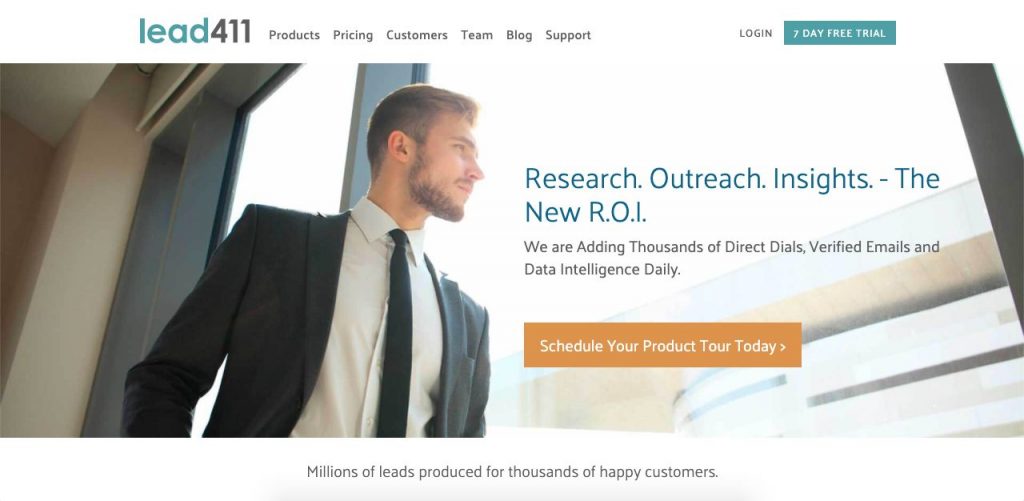
Lead411 is a B2B platform that lets you find the correct contact details of your professional leads. You can use its search engine to look for lead profiles with your lead’s professional background, which can help expedite your lead scoring process. Like other lead generation platforms, Lead411 allows you to search, find, and download bulk lead information for your marketing strategies.
However, this platform’s leads can get pretty expensive, and they don’t seem to offer any guarantee on the accuracy of their information.
You can search for leads by industry or people, and filter them through a few criteria, such as location, industry, and job title. Then you can select the right leads and send them an email directly on the platform.
Lead411’s capabilities:
- Bulk research possible: Yes
- Personal phone numbers: No
- Business phone numbers: Yes
- Reverse phone number lookup: No
Lead411 Pros and Cons:
Pros:
- B2B focused: It’s excellent for salespeople looking for business information.
- Simplified design: The platform design is very simple and easy to browse.
- Chrome extension: It’s perfect for anyone looking to find information exclusively on LinkedIn profiles.
Cons:
- No warranty: There’s no guarantee that the leads you find on this platform will have the right information.
- Expensive: Published plans run from under $100 a month up toward $150 a month per user on a credit-based model, and phone number lookups draw down those same credits.
- No integrations: Lead411 will probably not be able to integrate with your CRM.
Whitepages
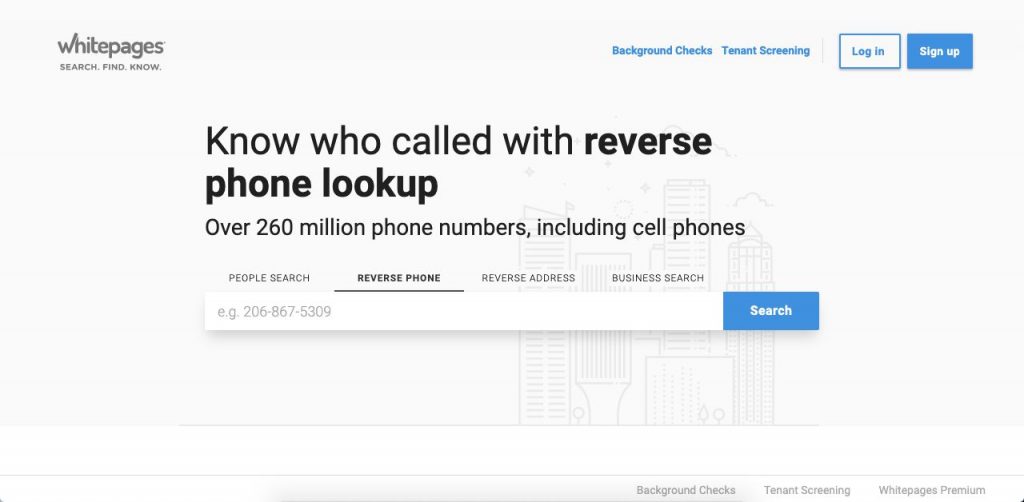
Want to know how to find someone’s phone number for free?
Whitepages is the digital equivalent of looking someone up in the phonebook. Just like AnyWho, Whitepages is very simple to use, and it only requires someone’s name and location to find a phone number for free. Whitepages also allows you to reverse-lookup a phone number, in order to find who it belongs to. Traditional phone book resources, such as Whitepages or Yellow Pages, remain useful for accessing historical contact records.
A unique Whitepages feature is its background-check capabilities. For a small fee, you can find all of your contact’s criminal and public records, to screen them.
This tool is only available to find a phone number from someone in the United States and allows you to check unlimited phone numbers for free.
Whitepages’ capabilities:
- Bulk research possible: No
- Personal phone numbers: Yes
- Company phone numbers: Yes
- Reverse phone number lookup: Yes
Whitepages Pros and Cons:
Pros:
- Free: Since it’s public information, it’s free to use.
- Extra services offered: It offers a cheap background search on your subjects.
Cons:
- Unreliable data: There’s no guarantee that the information is correct or up to date.
- Only for the USA: It doesn’t work for any other country.
- Not for corporate needs: There’s no bulk browsing, and you’ll have to search each result manually.
ZabaSearch
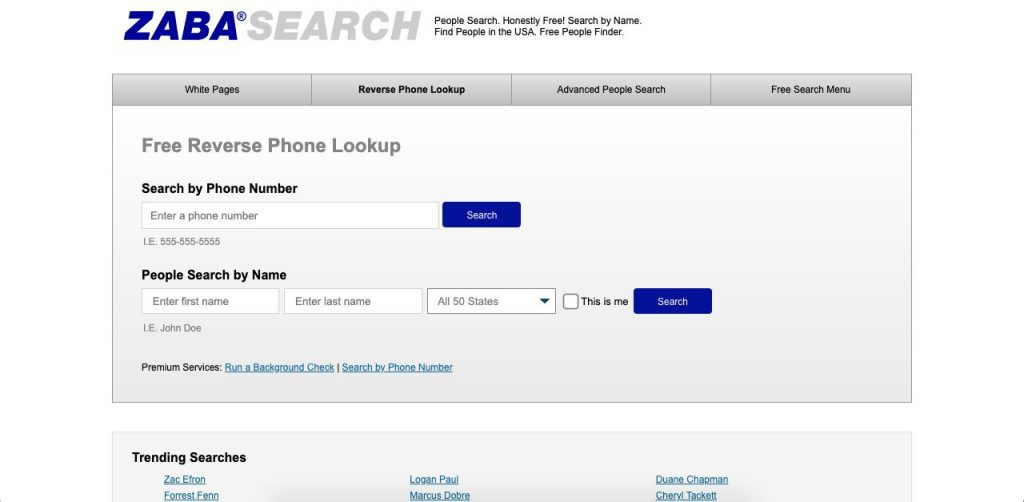
ZabaSearch is another free database and search engine of people’s public contact information. Using it is as simple as writing the name and location of your lead, or their phone number (to perform a reverse lookup). The site will immediately show you the likely candidates that will fulfill your query.
If you want more information, you can click on “View Full Profile” and open the user’s profile with Intelius, giving you their social media summary, relatives, and other key information. This extra service is quite slow and expensive, and it doesn’t guarantee information accuracy.
Like the other free tools listed here, ZabaSearch only works in the United States.
ZabaSearch’s Capabilities:
- Bulk research possible: No
- Personal phone numbers: Yes
- Business phone numbers: Yes
- Reverse phone number lookup: Yes
ZabaSearch Pros and Cons:
Pros:
- Free: Find a phone number, free of charge.
- Extra services offered: It offers detailed profiles of your subjects for an extra fee.
Cons:
- Unreliable data: Unless you pay extra, the data is based on public records, so it isn’t properly updated.
- Only for the USA: It doesn’t work for any other country.
- Not for leads generation: You can only find information on people, but no information on their background, job, or anything else.
LinkedIn is a great way to connect with other professionals and reach key decision makers. With it, you can perform reverse searches of any phone number, in order to find the professional organizations it belongs to.
Using LinkedIn’s search engine to find profiles, you can also find someone’s phone information. Simply locate your connection’s profile and search among their contact information.
This tactic will only work with professionals who have chosen to add their phone number to their profile and publicly list it.
If your contact hasn’t chosen to publish their phone number online to their contact information, you can send them a message to ask for it or use UpLead’s Chrome Extension to find all of their information.
LinkedIn’s Capabilities:
- Bulk research possible: No
- Personal phone numbers: Yes
- Business phone numbers: Yes
- Reverse phone number lookup: No
LinkedIn Pros and Cons:
Pros:
- Free: All you need to use it is an account.
- Business-focused: All of the profiles you’ll find are business profiles. And you can navigate them to discover related profiles.
- Global reach: The platform has information on a lot of businesses and employees worldwide.
Cons:
- Hard to find a phone number: Unless the subject in question decides to publish their phone number publicly, you won’t find their information.
- Time-consuming: No automated or bulk research available.
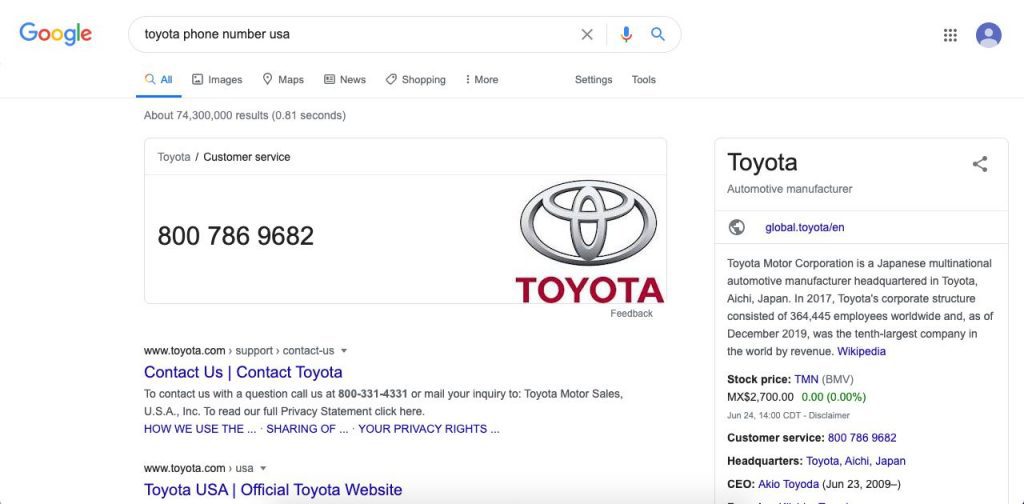
If you’re looking for a company’s phone number online, search engines like Google are a great way to find it. As you can see from the screenshot above, all you need to do to find someone’s phone number by looking up the company’s name and the keyword “phone number.” If the company has a Google profile (or if it’s big enough), Google will show you their phone number or company profile.
Although this service is free, it will only work if your lead is listed on Google. And it will most likely give you their company’s phone number, but not their direct contact information.
Google’s capabilities:
Bulk research possible: No
Personal phone numbers: No
Business phone numbers: Yes
Reverse phone lookup: No
Google Pros and Cons:
Pros:
- Free: Google uses public information that’s often updated by users or the subjects themselves.
- High-quality business information: You can get a lot of details out of Google business profiles, such as location, business hours, and other forms of communication.
Cons:
- Not for individuals: You probably won’t be able to find someone’s cell phone number.
- Manual search: There are no options for automated or bulk searchs in the platform.
You can use Facebook as a free cell phone number lookup tool to perform reverse phone lookups for people search. Since a lot of users have registered their phone numbers, you can find out who the phone number belongs to with a simple search. All you have to do is type the phone number with the area code in the search bar. Then Facebook will return the information of the user linked to that phone.
However, this process will only work if:
- The user has linked their cell phone number to their profile.
- The user’s privacy settings allow them to be found using their cell phone number.
That said, if the user (or company) has published their phone on a public post, you can also find them through the search bar.
Facebook’s capabilities:
- Bulk research possible: No
- Personal phone numbers: Yes
- Business phone numbers: Yes
- Reverse phone number lookup: Yes
Facebook Pros and Cons:
Pros:
- Free: All you need is a profile to use it.
- Reliable information: The information you find is often updated by the company or individual themselves.
Cons:
- Very limited capabilities: You may be able to find businesses, but reverse-looking up a cell phone number will most likely lead nowhere.
- Not for professional needs: Since there’s no automation, it’s time-consuming.
SpyDialer
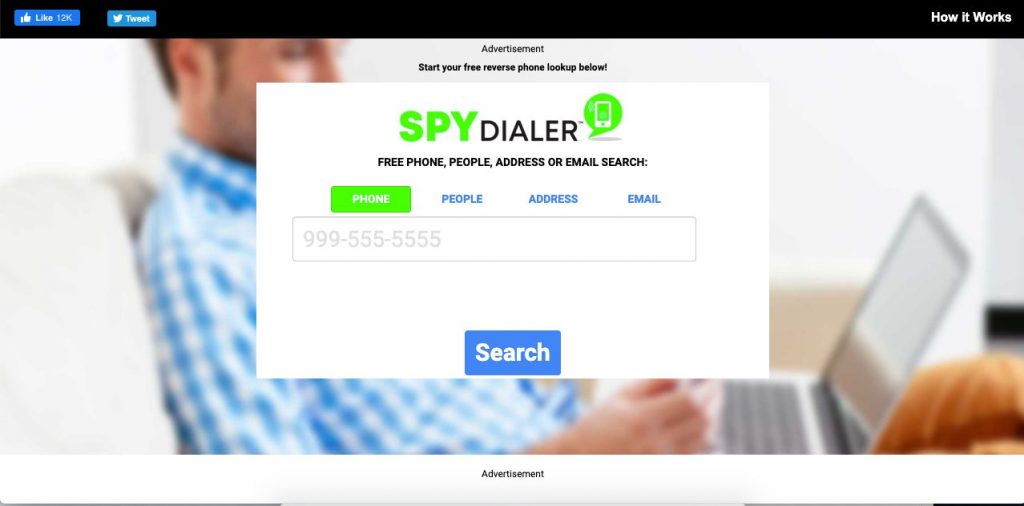
SpyDialer was created by best-selling author and licensed private investigator Robert Scott, who specializes in finding a person’ phone numbers online. Through his work on numerous articles and investigations and his team of specialists, SpyDialer has become a very popular option for people search and for finding someone’s phone number online.
SpyDialer gives you three options for finding someone’s phone number: through the person’s name, address or zip code, and even their email. You can also use it to reverse-search someone’s cell phone number and find its owner.
SpyDialer’s capabilities:
- Bulk research possible: No
- Personal phone numbers: Yes
- Business phone numbers: Yes
- Reverse phone number lookup: Yes
SpyDialer Pros and Cons:
Pros:
- Free: Since it’s public information, it’s free to use.
- Multiple search options: Find information based on a person’s name, emails, and phone numbers.
Cons:
- Unreliable data: There’s no guarantee that the information is correct or up to date.
- Only for the USA: It doesn’t work for any other country and may not access local business listings outside the US.
- Limited capabilities: Like any other free service, searches will be slow and manually performed.
BeenVerified
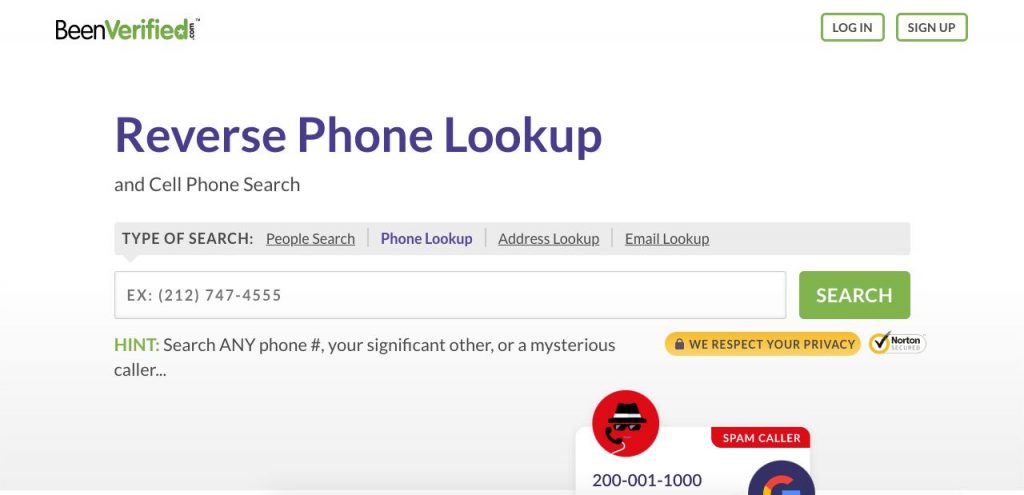
BeenVerified’s Reverse Phone Lookup helps you search through billions of public records of personal and business numbers, in order to uncover who’s behind unknown calls or texts. It may also give you further useful information, such as their location, email, age, social media profiles, and even possible relatives.
Besides offering reverse phone lookup capabilities, BeenVerified offers you very interesting free options. You can look up someone’s phone number through the person’s name and address, which most other platforms also provide.
But BeenVerified also allows you to find a phone number through usernames and even VIN numbers. It also allows you to search for unclaimed money towards your name or other people’s names.
BeenVerified’s capabilities:
- Bulk research possible: No
- Personal phone numbers: Yes
- Business phone numbers: Yes
- Reverse phone number lookup: Yes
BeenVerified Pros and Cons:
Pros:
- Free: Since it’s public information, it’s free to use.
- Wide range of lookup options: This platform is the only one that lets you find information through VIN numbers.
Cons:
- Unreliable data: Anyone can interfere with this free, publicly available data.
- Only for the USA: It doesn’t work for any other country.
- Not for lead generation: Since its searches are manual, it can be time-consuming.
InfoTracer
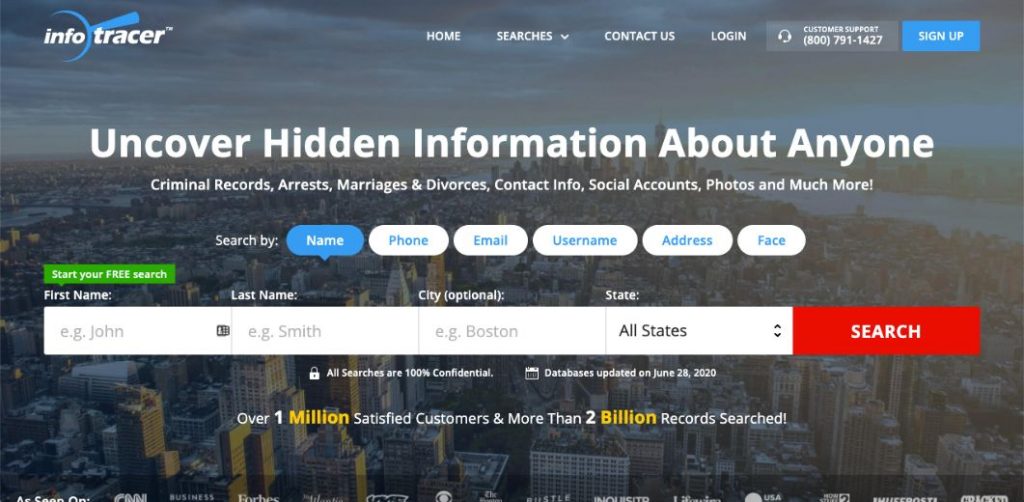
Another useful free service for reverse phone search is InfoTracer. With it, you can get a full report that includes contact info, public records, text messages, social accounts, online activity, photos, and videos.
Simply search for a person’s name, phone number, address, or email to use it. You can also do a people search with just a clear photo of their face.
InfoTracer’s capabilities:
- Bulk research possible: No
- Personal phone numbers: Yes
- Company phone numbers: Yes
- Reverse phone number lookup: Yes
InfoTracer Pros and Cons:
Pros:
- Free: Since it’s public information, it’s free to use.
- Photo lookup: It’s great to be able to find people’s information via an image of them.
Cons:
- Unreliable data: There’s no guarantee that the information is correct or up to date.
- Only for the USA: It only works in some US states.
- Freemium service: If you want detailed information, you’ll need to pay a lot of money per search.
AeroLeads
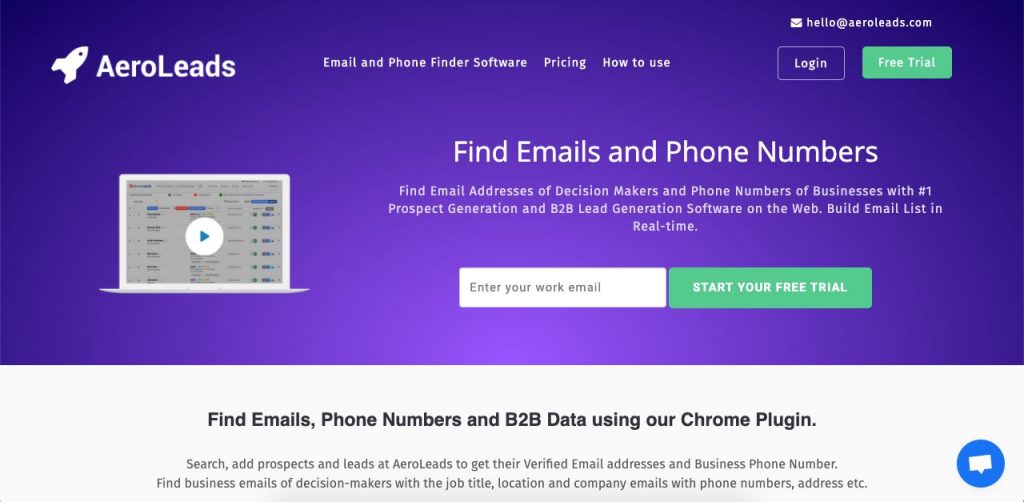
AeroLeads is a lead generation platform for B2B companies. It works with a Chrome extension that helps you find contact information as you’re browsing the web.
To use it, simply install the free Chrome plugin and use people search on pages like LinkedIn, CrunchBase, and AngelList, or even visit company websites. Once you find your leads, you add them to your plugin list. Then, AeroLeads can find a lead’s phone number, as well as their email addresses and professional information.
AeroLeads’ capabilities:
- Bulk research possible: Yes
- Personal phone numbers: Yes
- Company phone numbers: Yes
- Reverse phone number lookup: Yes
AeroLeads Pros and Cons:
Pros:
- Lead generation focus: It’s a perfect way to more organically find more leads.
- Easy to use: The simple browser extension makes it easy to use while you browse the web.
Cons:
- No data warranty: Although this service is paid, there’s no guarantee about the accuracy of the data.
- No bulk search: You still need to find leads manually.
ZoomInfo
ZoomInfo lets you buy B2B leads by browsing through their database to find a phone number for each lead. This extensive database was created using AI crawling the web to find relevant users and data, and it has grown well past 100 million companies and well over 100 million direct-dial numbers.
To use it, you can customize over 200 datapoints, in order to use their database for people search and for finding the right leads. You can also enrich the data you already have. And although they don’t seem to guarantee their data, they get good reviews and have good CRM integrations.
ZoomInfo’s capabilities:
- Bulk research possible: Yes
- Personal phone numbers: No
- Company phone numbers: Yes
- Reverse phone number lookup: No
Zoominfo Pros and Cons:
Pros:
- Good for accurate leads: Search through their database by searching for your user personas.
- Simple interface: Although searches are highly customized, using the platform is a very intuitive experience.
Cons:
- No data warranty: Although this service is paid, there’s no guarantee of data accuracy.
- Time-consuming for contacts outside the US: You’ll have to manually transfer the data to your CRM if the leads are international.
We consider ourselves one of the best Zoominfo competitors in the market.
LeadIQ
LeadIQ’s Prospector extension helps you directly find phone numbers of people and contact information on an online business profile during your sales prospecting process. All you need to do is install it and start searching for them. Then you can use the extension to save your leads into campaigns and save their information.
LeadIQ also lets people search through their database to find the right data (including prospect’s phone number and email), giving you access to over 100 million business contacts with verified emails and verified phone numbers.
However, if you want to use LeadIQ’s extension to find a phone number, budget carefully. Paid tiers run from around $45 to $150 or more per user each month depending on volume, and a phone number lookup draws more credits than an email lookup.
LeadIQ’s capabilities:
- Bulk research possible: Yes
- Personal phone numbers: Yes
- Company phone numbers: Yes
- Reverse phone number lookup: No
LeadIQ Pros and Cons:
Pros:
- Business focus: It’s great at finding leads and integrating with your CRM.
- Accurate data: Although it’s not guaranteed, the data tends to be accurate and up-to-date.
Cons:
- Not a lot of phone numbers: A lot of contacts will lack accurate phone numbers.
- Hard to navigate: The dashboard can be buggy and limited.
Clearbit
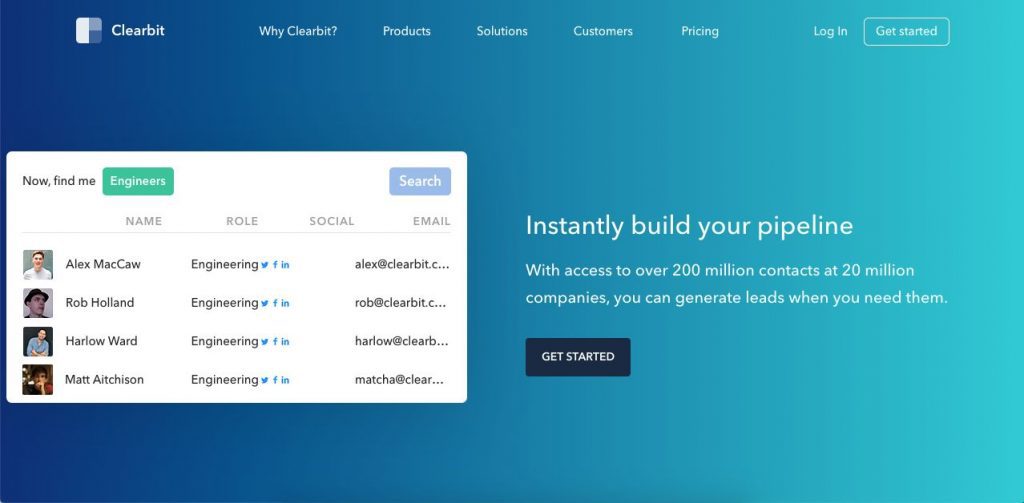
HubSpot bought Clearbit in December 2023 and folded it into the platform as Breeze Intelligence. The old standalone signup is gone, so this option now only makes sense if you already pay for HubSpot.
Breeze Intelligence enriches contact and company records straight inside HubSpot, adding phone numbers, firmographic details, and buying signals to records you already have. You’ll need an active HubSpot subscription first, then you buy enrichment credits on top of it.
If a direct-dial phone number is what you’re after and you’re not a HubSpot customer, this route involves more setup than the other tools on this list. It’s worth it mainly for teams that already run their CRM and marketing on HubSpot and want enrichment in the same place.
Breeze Intelligence’s capabilities:
- Bulk research possible: Yes, within HubSpot workflows
- Personal phone numbers: No
- Company phone numbers: Yes, as paid enrichment credits
- Reverse phone number lookup: No
Breeze Intelligence Pros and Cons:
Pros:
- Native to HubSpot: Enrichment happens on the record you’re already viewing, with no separate tool to log into.
- Ample database: Coverage carries over most of the original Clearbit dataset.
Cons:
- Requires HubSpot: You can’t buy or use it as a standalone product anymore, whatever CRM you run.
- Two bills instead of one: Credits sit on top of your existing HubSpot subscription cost, so the real price is easy to underestimate.
If you want direct-dial phone numbers without committing to HubSpot first, UpLead is a more straightforward Clearbit alternative to check out.
FAQ: Everything Else You Need to Know about How to Find a Phone Number
Looking for more information? Here are a few common questions that come up when looking for someone’s phone number:
How do I find someone’s phone number by their name?
Start with free options like Whitepages, ZabaSearch, or a Google search of the name plus their city, since those cover most landlines and publicly listed numbers at no cost. For mobile numbers, professional contacts, and any search you need to run at scale, a paid tool like UpLead, ZoomInfo, or BeenVerified will get you further, because they pull from verified data providers instead of relying on what someone chose to list publicly.
How do I verify a company’s phone number?
Check the company’s own website first, since the contact or footer section is usually the most current source. Cross-check that against a reverse lookup tool or the company’s Google Business Profile before you call, since numbers on older directory listings can be out of date.
What are people search engines?
People search engines are sites like Whitepages, ZabaSearch, and BeenVerified that aggregate public records, county and court data, and commercial data sources into a single searchable profile. They’re built for looking someone up by name, address, or phone number, not for FCRA-regulated uses like employment or tenant screening.
What is a free reverse phone lookup?
A free reverse phone lookup identifies who owns a number, at no cost, by matching it against publicly available records. Tools like AnyWho, SpyDialer, and Facebook’s search bar handle this well for landlines and listed numbers, though free results on cell phones tend to be thinner than what a paid service like BeenVerified or InfoTracer returns.
Are phone books still useful for finding a number?
Yes, printed and digital phone books still carry landline listings that some online lookup tools miss, especially in smaller towns. They’re a weak option on their own now, since cell phones rarely appear in them, so treat a phone book as a backup check rather than a first stop.
How do lookup services handle privacy and opt-outs?
Reputable people-search and B2B data providers publish an opt-out process so anyone can ask to have their record removed, and they limit what they show to information that’s already public or was collected with consent. See the legality section above for how this connects to FCRA, TCPA, and GDPR rules depending on how you plan to use the number.
How can I find out if a phone number is legitimate?
For a single number, just call it. A disconnected or invalid number typically returns an error message or an automated carrier notice instead of ringing through.
For hundreds or thousands of numbers, calling each one isn’t realistic. A phone validator such as Dexatel checks a list against carrier and public databases in bulk, at an added cost, and flags which numbers are still active before you spend time dialing them.
How do you find accounts linked to a phone number?
Reverse-lookup tools can name the owner of a number, but connecting that name to specific social or business accounts usually takes an extra step. UpLead lets you enrich a phone number or a broader phone number list with over 50 additional data fields, so you can build out a fuller picture of who you’re contacting and how to approach them before you call.
How can I improve answer rates once I have the number?
Calling from the same area code as your prospect is a tactic most salespeople overlook, and it works because an unfamiliar but local-looking number reads as less likely to be spam than an out-of-area or toll-free one. A virtual phone system that matches your outbound caller ID to your prospect’s area code makes this simple to set up without juggling multiple physical lines.
Talk straight to leads
Finding a person’s phone number is easier now than ever before. While you can find personal phone numbers through free platforms, you’ll need professional phone number lookup tools if you want to find direct phone numbers of your B2B prospects.
UpLead offers you not only 200 million contacts but also a 95% guarantee on their data accuracy. So you can make sure you’ll get qualified leads from our comprehensive database for your business needs.
Plus, UpLead is a powerful website to find phone numbers while offering mobile direct dials so you avoid gatekeepers, operators, or receptionists. Talk straight to your prospects!


