


Retail moves fast. Your ads run in five places. Orders land in two systems. Support lives in a shared inbox that’s always on fire. I’ve watched teams drown in tabs and still miss the moment a customer was ready to buy. HubSpot fixes that by making marketing, sales, service, and commerce speak the same language.
It’s more straightforward than you’d think. You can create a free account, connect all your tech, map your product SKUs, and even enable quotes, invoices and payment links. Then you start with automated workflows for cart recovery, loyalty, post-purchase, you name it.
The small touches are special too. HubSpot’s lead management keeps VIPs visible. Breeze AI edits subject lines without killing your tone. Smart content nudges returning shoppers toward the next best product. Reporting even shows revenue by source instead of just clicks.
If you’re a retailer, HubSpot’s platform gives you leverage. You get inbound marketing tools, CRM software you won’t outgrow, and AI that speeds up the boring bits, even POS integrations. Here’s how you can use all of it to your advantage.
Understanding HubSpot’s Retail Ecosystem
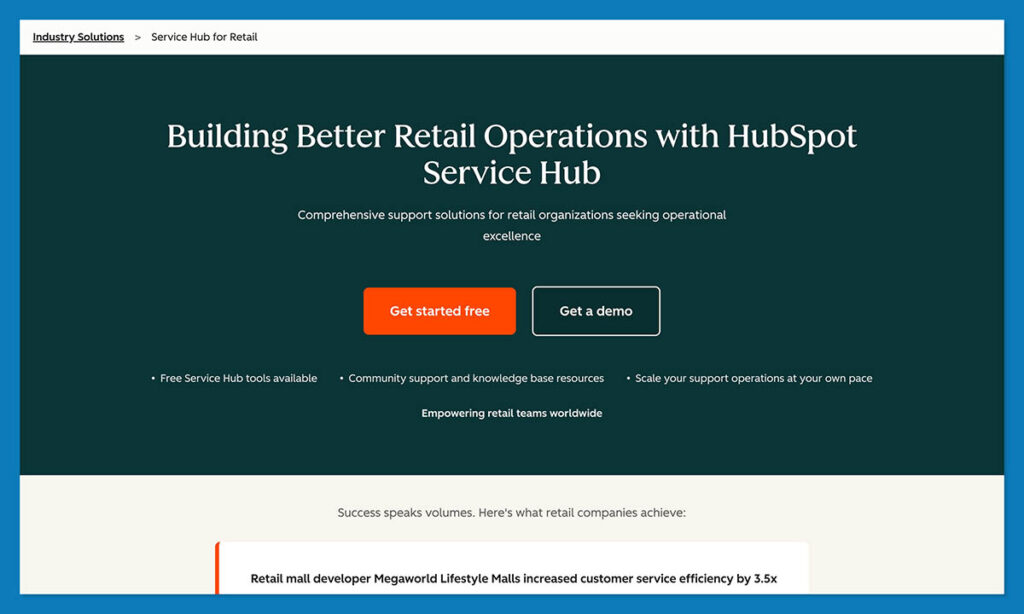
The thing about HubSpot is it’s not one impressive feature that makes it great — everything in the platform talks to everything else.. Your marketing emails, store orders, live chats, and even refund tickets all feed into one clean customer timeline.
Think of it like a connected retail engine. Each Hub does its own job, but they all share the same fuel: your customer data.
| Hub | Use case | Retail power features |
|---|---|---|
| Marketing Hub | Attract & nurture shoppers | Automated workflows, ad tracking, SEO tools, AI-generated content |
| Sales Hub | Close more deals | AI CPQ, forecasting dashboards, payment links, quote templates |
| Service Hub | Keep customers happy | Live chat, support tickets, returns, customer feedback |
| Commerce Hub | Manage revenue | Invoices, recurring payments, partial payments, subscriptions |
| Content (CMS) Hub | Build your retail site | Smart content, personalization rules, HubDB for dynamic product grids |
Each one connects to the same CRM spine. You can run an ad in Marketing Hub, close the deal in Sales Hub, process payment through Commerce Hub, and follow up with a satisfaction survey in Service Hub without switching tools.
HubSpot’s 2025 updates made this smoother than ever. The Visual Data Model Builder lets you see how every contact, order, and deal relate in a drag-and-drop map. Workflow actions can now live right inside your CRM cards, so automations trigger where you work. Even social managers got an upgrade: AI social reply tools draft responses automatically for comments and DMs.
Plus, the new Breeze AI sits across every hub, rewriting email lines, summarizing chat threads, and even predicting which deals need a nudge.
Casio UK used this kind of setup to connect its ecommerce and marketing data. Within months, they grew ecommerce customers by 27 % and boosted web traffic 54 % after rolling out HubSpot’s unified reporting and AI-assisted campaigns.
Why HubSpot Fits Modern Retail
Most CRMs were built for long B2B sales cycles with three meetings and a handshake. Retail doesn’t work like that. You’ve got thousands of micro-transactions, repeat buyers who ghost for six months, and impulse purchases happening on phones at 2 a.m.
HubSpot CRM actually keeps up. It’s built for omnichannel life: online store, physical POS, chat, email, and social, all synced. When a shopper buys in-store, their loyalty points update online. When they open your abandoned-cart email, that click shows up next to their last ticket.
Inbound marketing is baked in. You can publish a blog, run Meta ads, and send segmented follow-ups without touching a third-party tool. That’s why so many ecommerce teams use HubSpot software as their marketing core.
StoreHub, a POS-plus-ecommerce company, automated its deal tracking and follow-ups through HubSpot CRM, saving 700 hours a year and increasing conversions by 20% after linking checkout data to the platform.
How to Use HubSpot CRM for Retail
The best way to learn HubSpot CRM is to use it on your own store. The interface makes sense the moment you open it. It’s clean, visual, and fast. Below are a few quick wins I’d walk any retail team through. None of these steps need code or outside software.
Step 1: Create and Configure Your HubSpot Account
Head to HubSpot CRM Free and create an account. Choose your region, currency, and GDPR options, then invite your team.
I always start with one shared test contact so everyone can click around safely. Setup takes minutes; most retailers go live the same day. Once you’re in, pin the Contacts, Deals, and Automation tabs to your sidebar, they’re where 90 % of your time will go.
Step 2: Customize Your Dashboard and Pipelines
Generic pipelines are useless in retail. Rename your deal stages to fit your flow: Quote Sent → Paid → Delivered → Returned.
Add custom properties for SKUs, store location, or shipping method. This is where the CRM ensures everything stays searchable later. The Knowledge Academy suggests aligning stages with real-world steps to shorten reporting time.
Step 3: Connect Your Store and Payment System
Go to App Marketplace → Ecommerce. Connect Shopify, WooCommerce, or BigCommerce; authorize two-way sync. Then enable HubSpot Payments (U.S.) or link Stripe internationally. Don’t forget to add your POS if you’re selling offline.
Run a $1 test order and watch it appear instantly under that customer’s CRM record: payment, product, and order status all in one line. Add a workflow action right inside the deal card: if payment is complete, send a thank-you email automatically.
Step 4: Import and Organize Your Product Catalog
Click Import → Products and upload a CSV with Product Name, SKU, Price, and Tax.
Or pull data straight from Shopify with one click.
If you sell bundles or seasonal items, create a HubDB table for variants. Everything links back to your quotes and invoices, so pricing changes cascade automatically.
Step 5: Enable Commerce Hub Tools
Open your settings and enable Quotes, Invoices, Payment Links, and Subscriptions. Build a quote that matches your store’s branding so customers can check out directly from it. HubSpot’s CPQ tool handles the messy parts like tax and discount calculations automatically.
After Dopper rolled this out, the team noticed their quote-to-sale rate jumped to nearly three times what it had been before.
Step 6: Automate Your Marketing Workflows
Start small:
- Cart Recovery: email at 2 hours, reminder at 24
- Post-Purchase Follow-up: thank-you, cross-sell, or care guide
- Loyalty Sequence: reward after a third purchase
Open Workflows → Create from Scratch and pick “Ecommerce Trigger.” Use Breeze AI to rewrite subject lines for tone or language.
Step 7: Segment Your Customers
Go into the Lists area and click “Create Smart List.” From there, play around with the filters until the data feels useful: maybe total orders, the last time someone bought something, or what they usually spend. I like starting with just three groups: people who’ve never ordered before, the ones who come back often, and those few VIP customers who buy everything new.
Once that’s set, turn on predictive lead scoring so the platform starts surfacing shoppers who’ll probably buy again soon. After a while, those lists start running themselves and push data straight into your emails, ads, and chats without you having to touch them.
Step 8: Track and Analyze Performance
Open Reports → Dashboards and add widgets for:
- Revenue by Source
- Repeat Purchase Rate
- Cart Recovery
- Service Response Time
Connect GA4 and Meta Ads to trace every sale back to its ad or email. If you’re ready for deep analytics, link Data Hub + Snowflake to blend POS and online metrics.
Step 9: Maintain and Scale
- Weekly: merge duplicates, verify automations fired, archive test data
- Monthly: review KPIs, adjust lead scoring, update discount workflows
As orders grow, add AI Forecasting, multi-currency commerce, or Enterprise Hubs. HubSpot’s modular pricing means you only pay for what you outgrow.
Comparing HubSpot to Other Retail CRMs
I’ve spent the better part of the last decade testing CRMs from beautifully simple tools that run out of steam in six months to heavy enterprise systems that require a full-time admin. HubSpot CRM sits comfortably in the middle: deep enough for serious growth, simple enough that your sales associate can use it on day one.
Here’s the breakdown based on what retailers actually need: visibility, automation, and clean integrations with ecommerce.
| CRM | Best for | Key strength | Starting price | Limitation |
|---|---|---|---|---|
| HubSpot CRM | Unified retail growth | AI automation + commerce tools | Free | Learning curve for complex workflows |
| ActiveCampaign | Email-driven campaigns | Predictive sending, strong deliverability | $39/mo | Limited cross-channel tracking |
| Pipedrive | Fast, visual pipelines | Drag-and-drop simplicity | $14/user | Few marketing tools |
| Zoho CRM | Budget automation | Zia AI insights, flexible pricing | Free–$20/user | Dated interface, patchy support |
| Salesforce | Enterprise retail | Agentforce AI, deep analytics | Custom | Expensive, admin-heavy |
Where HubSpot Stands Out
When I stack these platforms side by side, HubSpot wins for cohesion. It’s not just a sales tool or an email platform, it’s the link between your website, store, and support desk.
- Omnichannel retail made simple: ActiveCampaign can run great emails, but it doesn’t know who walked into your physical store yesterday. With HubSpot CRM, in-store purchases sync with your ecommerce data automatically
- All-in-one automation: I used to patch together Zapier chains just to send a “thank-you” text after checkout. In HubSpot, the same thing happens through native Workflows, triggered directly in the CRM card
- Scales from free to enterprise: A small boutique can run perfectly on the Free CRM plan (contacts, deals, and automation included). As you grow, you layer in Marketing, Sales, and Service Hubs with no migration headaches
- Straightforward reporting: Salesforce has great dashboards, but digging through filters can slow you down. HubSpot gives you results immediately. You can open a simple “Revenue by Source” report and see exactly which ad or email brought in each sale
- Integrations that just work: Over 2,000 verified apps plug into HubSpot, from Shopify to Lightspeed to Google Ads. The App Marketplace is genuinely curated so there are no broken APIs hiding in the list
- Better value overall: One HubSpot setup can take the place of several separate tools: marketing automation, a help desk, your deal tracker, and even quote management. For smaller retail teams, that usually means real savings and far less juggling
So while Pipedrive might win for minimalism and Salesforce for complexity, HubSpot CRM is perfect for retail: unified, measurable, and actually enjoyable to use.
Growing with HubSpot CRM for Retail
Every retail team I’ve seen thrive with HubSpot CRM says the same thing: it finally makes their business make sense. One platform, one customer view, zero guesswork.
What stood out most for me was how easily it ties everything together. Your ads, payments, and support tickets feed into one clean timeline. I can see exactly what drove a sale and when to re-engage a buyer with no spreadsheets or detective work.
The automation alone pays for itself. The CRM’s workflows handle follow-ups, recover carts, and send thank-yous while you’re focusing on new stock or customer service.
Add Breeze AI, and you get real momentum. It tweaks your subject lines, predicts who’s most likely to buy again, and helps small teams sound like seasoned pros.
Scaling is effortless. Start free, connect Shopify or WooCommerce, and grow into Sales, Service, or Commerce Hubs when you’re ready. No rebuilds, no data loss.
If you’re ready to grow your retail store, start with HubSpot CRM.
FAQs
Is HubSpot CRM free for retailers?
Yes, it is. The free plan gives you contacts, deals, a dashboard, and a few automations. It’s surprisingly capable. You can set up campaigns, track emails, and manage sales without paying a cent. When you’re ready for AI tools or detailed reports, you just upgrade.
Can HubSpot connect to my store or till system?
It can. Shopify, WooCommerce, BigCommerce and other sites plug straight in. If you’ve got a physical store, systems like Square or Lightspeed sync too. Every order shows up next to the customer’s emails and service notes, so you finally see the full picture, not fragments from different apps.
How soon will I see results?
Usually within a few weeks. You notice it first in the numbers: fewer missed follow-ups, faster replies, cleaner reports. The big lift tends to come after a month or two, once your workflows start running quietly in the background.
Is HubSpot only for online shops?
Not at all. Plenty of brick-and-mortar stores use it to join up their in-store and online data. If someone buys in person, HubSpot still logs that order, tracks lifetime value, and even triggers a loyalty email later. It’s genuinely built for omnichannel retail, not just ecommerce.
Can it handle international sales?
Yes. Multiple currencies, regional dashboards, and localized content are all supported. You can sell in euros one day and dollars the next without confusing your reports or your customers.


