


Creating legal documents has traditionally been associated with high costs, long consultations, and confusing legal language. For individuals, freelancers, landlords, and small businesses, this often creates friction for routine legal needs such as contracts, agreements, or personal documents.
Lawdistrict positions itself as a practical alternative. It enables users to create legally structured documents online by answering guided questions instead of drafting complex legal text manually.
This in-depth guide explains how to use Lawdistrict step by step, explores what makes it different from other legal platforms, and integrates SaaSworthy discovery insights and Reddit user sentiment throughout to reflect how the product is actually evaluated and used in real scenarios.
TL;DR: Using Lawdistrict
What It Is
Lawdistrict is a self-serve online legal document platform that helps individuals and small businesses create legally structured documents by answering guided, plain-language questions.
Why It’s Critical
Legal paperwork is unavoidable, but hiring a lawyer for every standard document is expensive and slow. Lawdistrict removes this friction by making common legal documents accessible, fast, and affordable without requiring legal expertise.
Core Components
- Guided question-based document creation
- Jurisdiction-aware legal formatting
- Editable and reusable documents
- Support for personal, business, and real estate use cases
Lawdistrict’s Role
Lawdistrict sits between free legal templates and full-service legal platforms. It focuses on speed, clarity, and everyday usability rather than legal consultations or enterprise workflows.
Business Value
For individuals, freelancers, landlords, and small teams, Lawdistrict saves time, reduces legal costs, and provides confidence that documents are properly structured for real-world use.
What Is Lawdistrict?
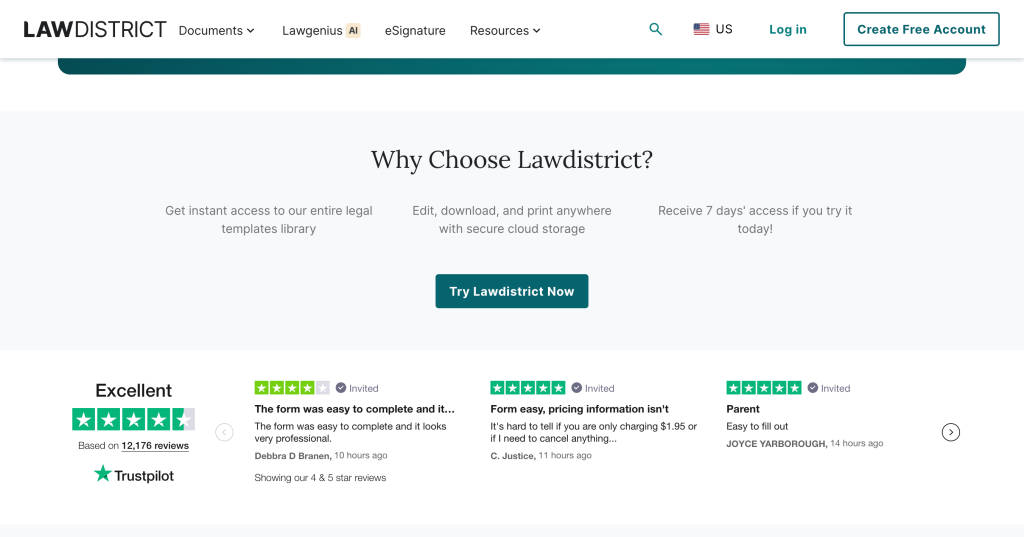
Lawdistrict is an online legal document creation platform designed to help users generate legally formatted documents quickly. Instead of working from blank pages or static templates, users are guided through a structured questionnaire that adapts the document to their inputs and jurisdiction.
The platform focuses on self-serve document creation for common legal use cases, including personal, business, and real estate needs. It does not attempt to replace legal professionals. Instead, it removes friction from routine legal paperwork that would otherwise require paid assistance or extensive research.
SaaSworthy insight:
On SaaSworthy, Lawdistrict is commonly evaluated alongside self-serve legal platforms such as LegalZoom, Rocket Lawyer, and LawDepot. It is frequently shortlisted for ease of use and fast document completion, particularly by individuals and small teams that do not have in-house legal support.
Who Typically Uses Lawdistrict?
Lawdistrict is not designed for a single user profile. Instead, it appeals to several overlapping segments.
Individuals
Individuals often use Lawdistrict for personal legal documents such as wills, powers of attorney, affidavits, and family agreements. These documents are common but rarely justify the cost of hiring a lawyer.
Reddit insight:
Users discussing estate planning and personal legal paperwork frequently mention Lawdistrict as a low-stress option for first-time users who are unsure how to start.
Freelancers and Consultants
Freelancers use Lawdistrict for NDAs, service agreements, and contractor contracts. These documents are often reused across clients with small modifications.
SaaSworthy insight:
Freelancers frequently shortlist Lawdistrict because documents can be edited and regenerated without recreating everything from scratch.
Small Businesses
Small business owners use Lawdistrict for partnership agreements, employment contracts, and vendor agreements. Speed and consistency matter more than deep customization at this stage.
Landlords
Landlords rely on Lawdistrict for lease agreements, roommate agreements, and property-related documents.
Reddit insight:
Landlords often highlight the value of jurisdiction-aware formatting, especially when compared to generic lease templates found online.
Step by Step: How to Use Lawdistrict
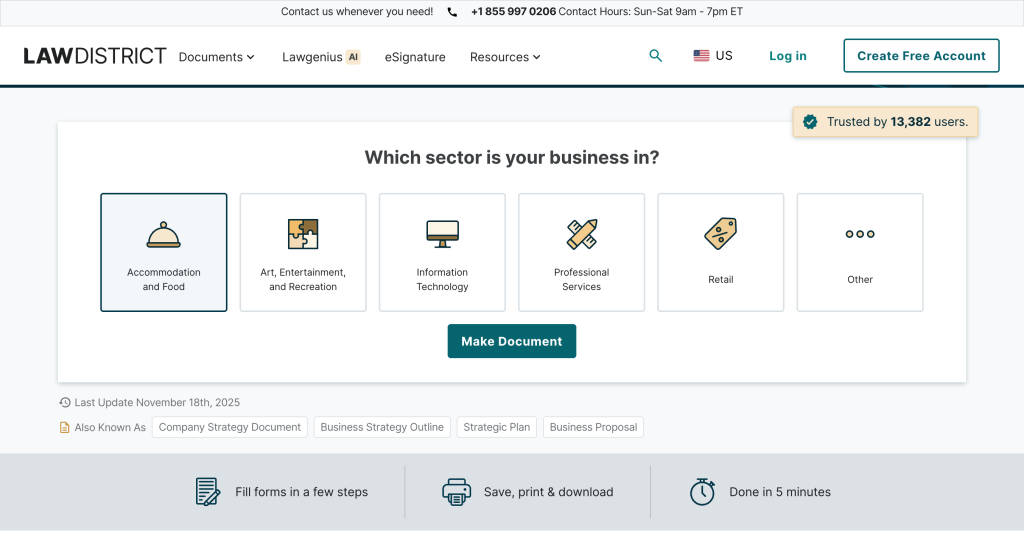
Step 1: Select the Correct Legal Document
After visiting the Lawdistrict website, users can browse documents by category or use the search function. Each document page includes a detailed explanation of:
- What the document is used for
- Who should use it
- When it is legally appropriate
- What information is required to complete it
This step is more important than it appears. Choosing the wrong document type can invalidate the agreement or fail to protect the intended parties.
Reddit insight:
Users frequently caution against skipping this step. Discussions emphasize that Lawdistrict’s document explanations are clearer than many template libraries, which helps users avoid incorrect selections.
Step 2: Complete the Guided Questionnaire
Once a document is selected, Lawdistrict presents a guided questionnaire. Questions are written in plain language and focus on real-world inputs such as:
- Names and roles of the parties involved
- Dates, durations, and renewal terms
- Payment structures and obligations
- Governing law and jurisdiction
As users answer questions, the document is generated dynamically in the background.
SaaSworthy insight:
Ease of onboarding and clarity of questions are recurring evaluation factors for Lawdistrict. It consistently ranks well for reducing the learning curve compared to platforms that assume legal familiarity.
Step 3: Review the Generated Document Carefully
Before downloading, users can preview the entire document. This is a critical stage that should not be rushed.
Best practices include:
- Verifying names, addresses, and dates
- Reading termination and liability clauses closely
- Confirming payment terms and timelines
- Ensuring jurisdiction details are correct
Reddit insight:
Experienced users recommend reviewing the document line by line, especially for business contracts. While the structure is sound, accuracy still depends on the inputs provided.
Step 4: Create an Account and Download
To download the completed document, users must create an account. Depending on the plan, users can:
- Download documents in PDF or Word format
- Access documents from a personal dashboard
- Edit and regenerate documents later
- Reuse documents for similar scenarios
SaaSworthy insight:
The ability to store and reuse documents is often cited as a key reason users continue using Lawdistrict rather than switching tools.
Types of Documents Available on Lawdistrict
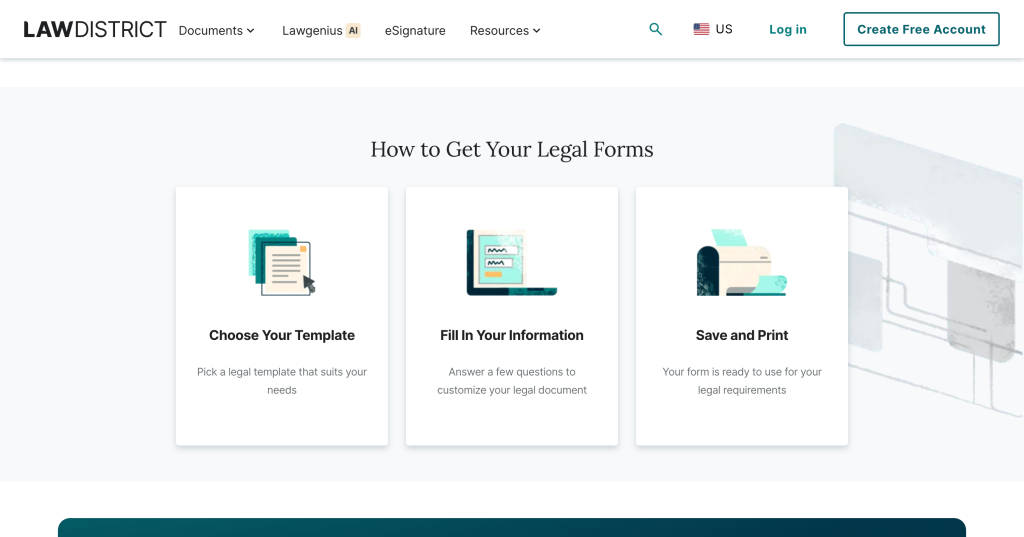
Lawdistrict covers a broad range of legal needs that are commonly encountered by individuals and small organizations.
Personal and Family Documents
- Last will and testament
- Power of attorney
- Affidavits
- Separation agreements
These documents are often emotionally sensitive and legally important, which makes clarity and structure especially valuable.
Business and Freelancer Documents
- Independent contractor agreements
- Non-disclosure agreements
- Service agreements
- Partnership contracts
Reddit insight:
Freelancers often describe Lawdistrict as a safer alternative to copying contracts from previous clients or online forums.
Real Estate Documents
- Residential lease agreements
- Roommate agreements
- Property sale contracts
SaaSworthy insight:
Real estate documents are one of the strongest use cases for Lawdistrict due to jurisdiction-specific formatting and reusable templates.
How Lawdistrict Is Different from Other Legal Document Platforms
Lawdistrict operates in a competitive category that includes LegalZoom, Rocket Lawyer, and LawDepot. While all address legal documentation, their approaches vary significantly.
1. Designed for Non-Lawyers First
Many legal platforms originate from professional legal services and adapt their workflows for consumers. Lawdistrict is built specifically for non-lawyers.
Comparison insight:
Compared to LegalZoom and Rocket Lawyer, which often introduce legal terminology early, Lawdistrict prioritizes plain language and contextual explanations.
2. Faster Document Completion
Some platforms emphasize subscriptions or attorney consultations. Lawdistrict emphasizes completion speed.
Comparison insight:
Users consistently report finishing documents faster on Lawdistrict than on Rocket Lawyer, where additional steps can slow progress.
3. Lower Upsell Pressure During Creation
Upselling is common across legal platforms, but execution matters.
Comparison insight:
Compared to LegalZoom, which often surfaces add-ons during document creation, Lawdistrict typically allows users to finish the document first.
4. Better Fit for Repeated Use
LawDepot focuses on static templates. Lawdistrict combines guided creation with document reuse.
Comparison insight:
Landlords and freelancers often prefer Lawdistrict because they can update existing documents without restarting.
5. Positioned Between Templates and Legal Services
Lawdistrict fills the gap between free templates and lawyer-led platforms.
Comparison insight:
Compared to LawDepot’s template-first approach and LegalZoom’s service-heavy model, Lawdistrict appeals to users who want structure without long term commitments.
Lawdistrict’s AI Feature: LawGenius
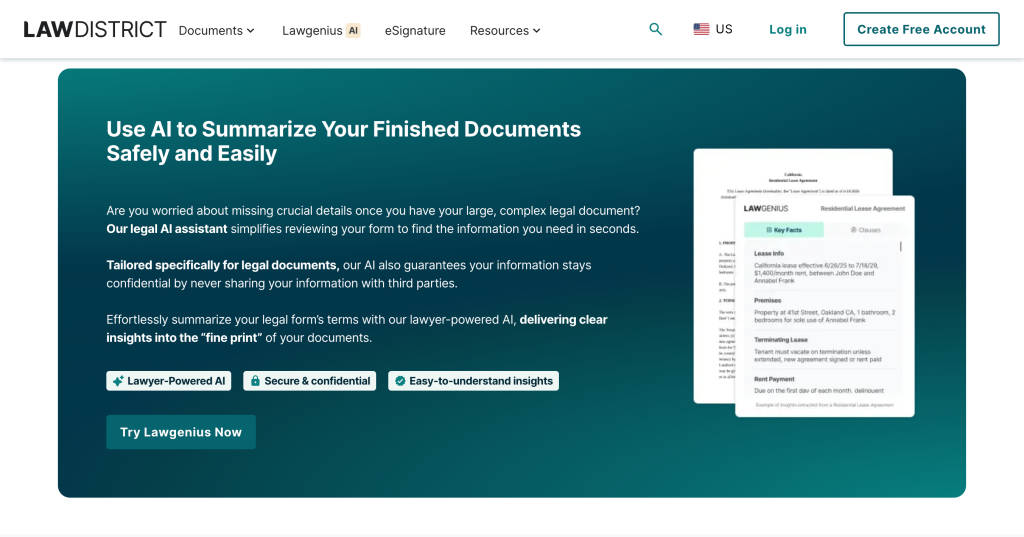
One of the standout innovations within Lawdistrict is LawGenius, an AI-powered contract analysis feature built for people who need fast legal clarity without reading pages of dense text.
LawGenius is designed for real-world use cases. Users often receive contracts under tight deadlines, whether it is a freelance agreement, lease, NDA, or service contract. Reading every clause carefully is time-consuming, and missing a key obligation can be costly. LawGenius solves this problem by turning long legal documents into clear, structured summaries within seconds.
How LawGenius Works
The process is intentionally simple. Users upload a legal document in PDF or Word format, and LawGenius automatically analyzes the content using lawyer-trained AI models. Within moments, the tool generates a concise summary that highlights the most important clauses and legal implications. There is no learning curve, no configuration, and no sign-up required, making it accessible even for first-time users.
Key Capabilities of LawGenius
LawGenius focuses on clarity and risk awareness rather than raw legal jargon. Its core capabilities include:
- Automatic summarization of lengthy contracts into plain-language insights
- Highlighting of key terms such as obligations, payment clauses, termination conditions, and deadlines
- Identification of potential risks or unusual clauses that deserve attention
- Support for commonly used file formats, including PDFs and Word documents
This approach helps users understand what a contract actually means before they sign, share, or negotiate it.
Privacy and Trust by Design
Legal documents often contain sensitive personal or business information. LawGenius is built with privacy as a core principle. Documents are processed securely, and the AI models are trained with legal expertise in mind, ensuring accurate interpretation without compromising confidentiality. This focus on safety and trust has contributed to LawGenius being used by over 5,000 individuals and small teams.
Who LawGenius Is Best For
LawGenius is especially valuable for individuals, freelancers, founders, and small teams who do not have immediate access to legal counsel. It acts as a first layer of understanding, helping users decide whether a document is straightforward, requires negotiation, or needs professional legal review.
Why LawGenius Matters
Rather than replacing lawyers, LawGenius empowers users with context and confidence. By summarizing contracts and surfacing key points instantly, it reduces friction in everyday legal tasks and helps users make informed decisions faster.
In short, LawGenius transforms contract review from a time-consuming chore into a quick, approachable step, aligning perfectly with Lawdistrict’s goal of making legal tools more accessible and practical for everyone.
Best Practices When Using Lawdistrict
To maximize value and reduce risk:
- Provide accurate and complete information
- Select the correct jurisdiction every time
- Read every clause before signing
- Use professional legal advice for complex or high-risk situations
Reddit insight:
Users frequently emphasize that Lawdistrict is a document generator, not a substitute for legal counsel.
FAQs About Lawdistrict
1. Is Lawdistrict better than free legal templates?
SaaSworthy insight:
Users generally view Lawdistrict as more reliable than free templates due to structured flows, jurisdiction awareness, and document reuse.
2. Are Lawdistrict documents legally binding?
Yes, when completed accurately and executed properly. Some documents may require witnesses or notarization, depending on local laws.
3. Can freelancers rely on Lawdistrict long-term?
Reddit insight:
Freelancers often report using Lawdistrict for years for recurring contracts, especially in early and mid-stage careers.
4. Does Lawdistrict replace a lawyer?
No. It is designed for standard documents. Litigation, disputes, and complex transactions still require legal professionals.
5. Is Lawdistrict suitable for landlords?
SaaSworthy and Reddit insight:
Landlords frequently mention Lawdistrict for lease agreements due to state-specific formatting and reuse capabilities.
Final Thoughts
Lawdistrict occupies a clear and practical position in the online legal software landscape. Supported by consistent SaaSworthy discovery signals and validated by Reddit user discussions, it works best for individuals and small organizations that need reliable legal documents without unnecessary complexity.
It is not a replacement for legal advice, but it is a strong solution for everyday legal documentation when speed, clarity, and affordability matter.
The post How to Use Lawistrict in 2026 to Create Legal Documents Faster and Safer appeared first on SaaSworthy Blog | Top Software, Statistics, Insights, Reviews & Trends in SaaS.


